Everything you need to read order flow
Locate where size was placed. Understand how volume distributed at each price. See which side took the bar. Footprints, profiles, VWAP and anchored studies — all in one MetaTrader 5 utility.
One market, many readings
Every view below is the same tick data arranged to answer a different question. Footprints show activity at individual prices; heatmaps and combined layouts make those patterns easier to scan; imbalances highlight one-sided trading; bar statistics summarise each bar; profiles and VWAP add session context; and CVD tracks cumulative aggression over time.
| Question you are asking | View that answers it |
|---|---|
| Who was the aggressor at this price? | Bid × Ask footprint |
| How much traded here, regardless of side? | Total Volume footprint |
| Which side won this bar, and by how much? | Delta footprint |
| Where was activity concentrated in this bar? | Volume heatmap |
| Where did one side dominate? | Delta heatmap |
| Is one side overwhelming the other at consecutive prices? | Stacked imbalances |
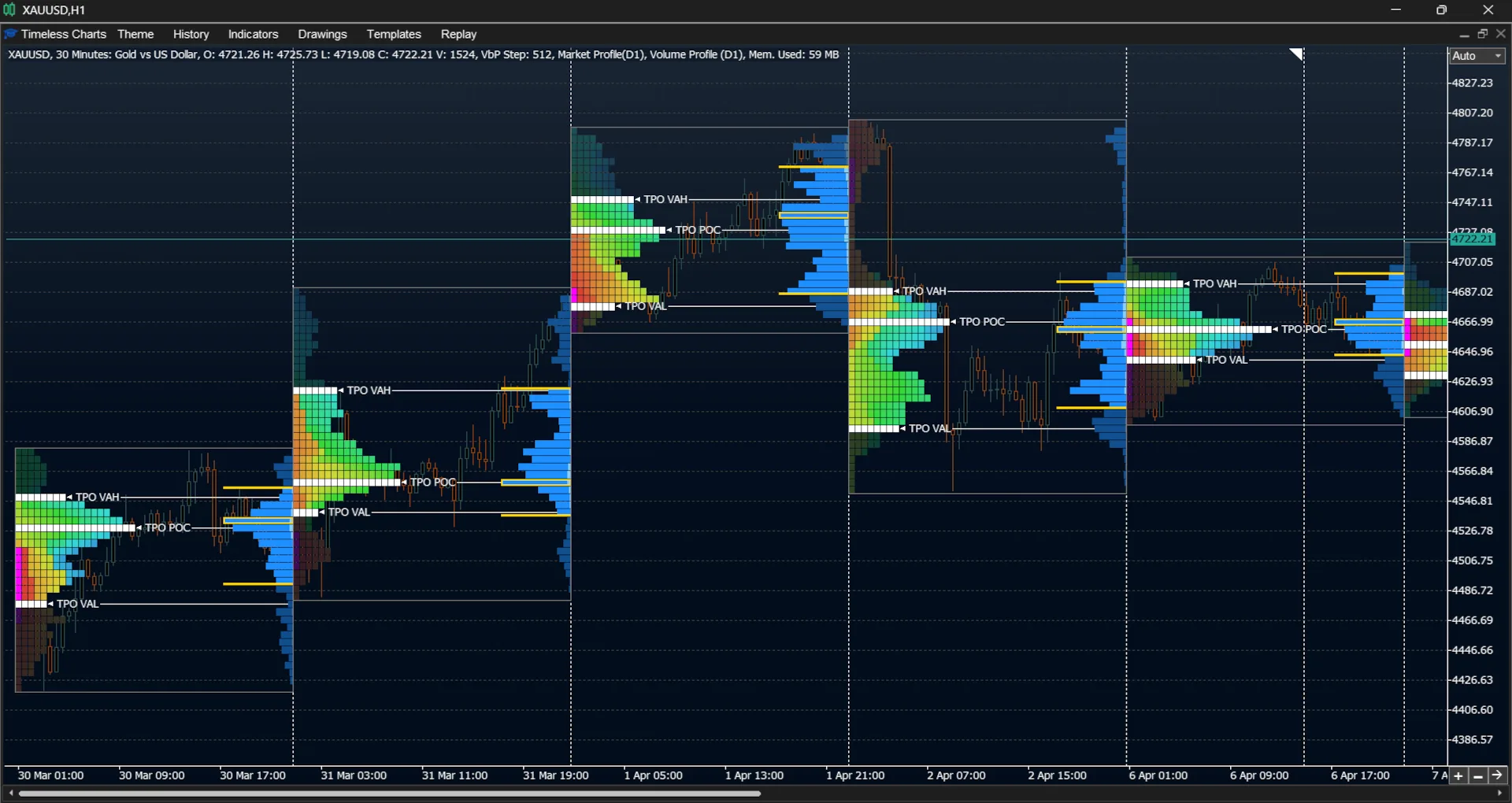
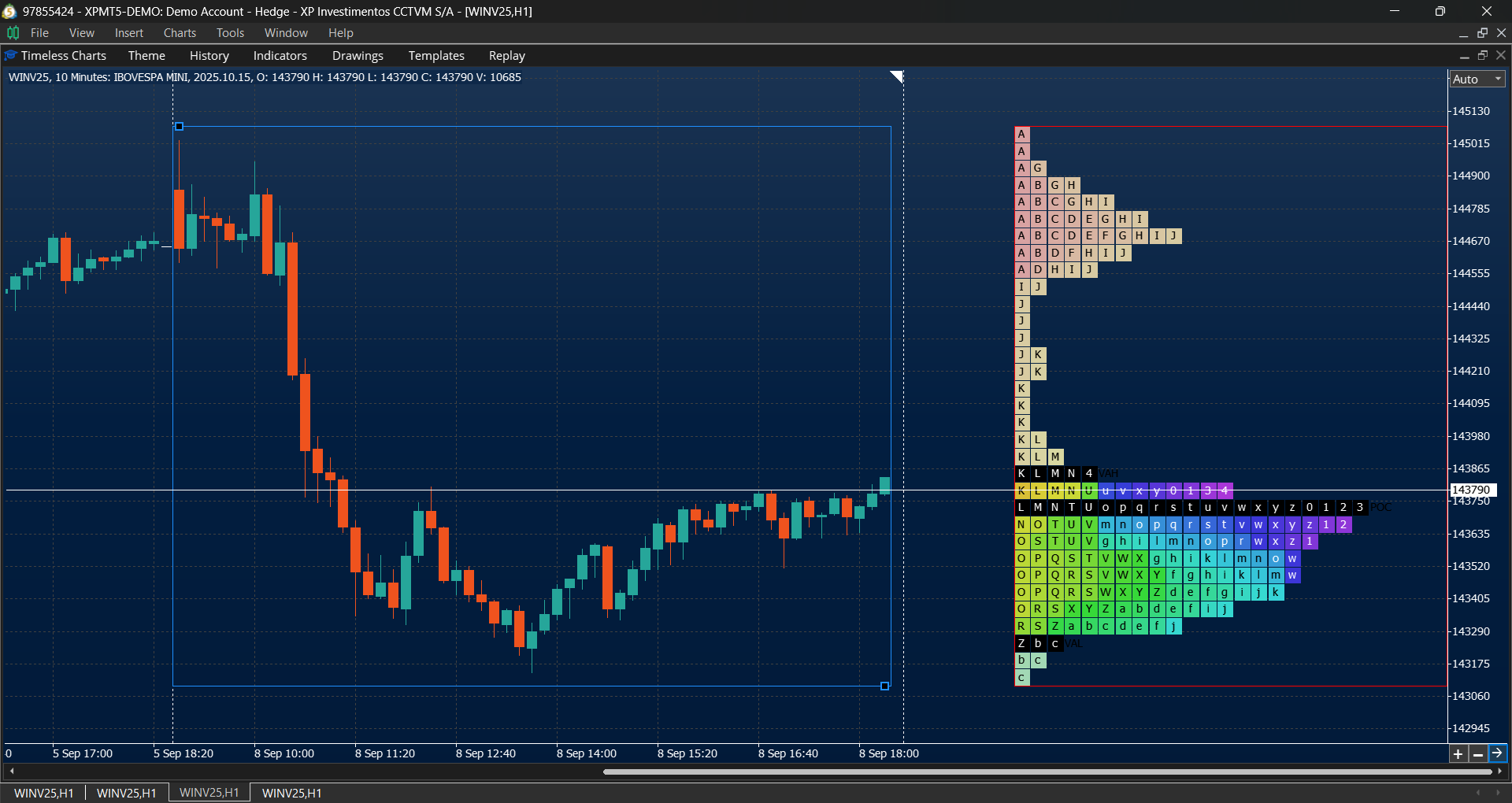
| Where did the session spend its time? | TPO Market Profile |
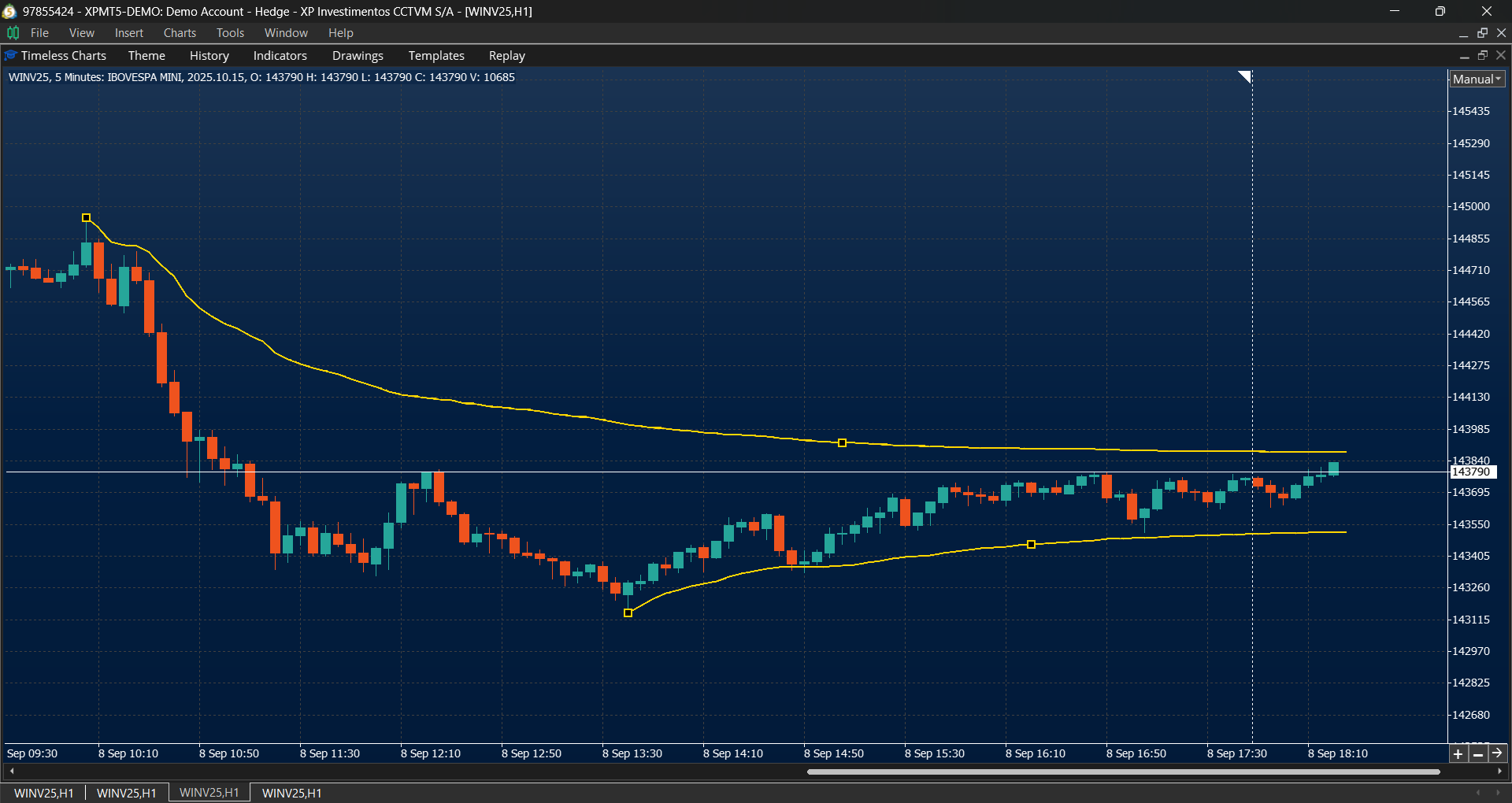
| Where is fair value, and how far has price stretched from it? | VWAP bands |
| Is aggression building or fading across the day? | Cumulative Volume Delta |
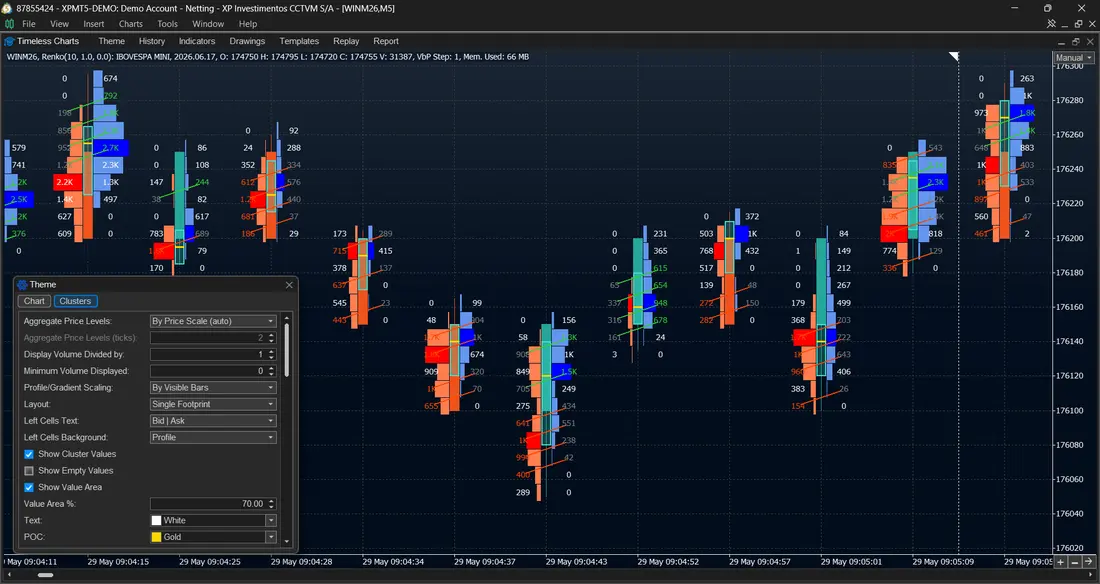
Bid ask footprint: volume split by side, at every price
The bid ask footprint puts two numbers in each price row — volume that sold to the bid on the left, volume that bought the ask on the right. That split is the difference between watching price move and seeing who moved it: a rally built on thin bid-side turnover behaves differently from one where buyers lifted offer aggressively at every level.
Rows can be shown as raw numbers, as a horizontal profile beside each price, or mirrored, with bid and ask profiles growing outward from the centre so the dominant side is visible without reading digits.
- Bid × Ask split per price row inside each bar
- Profile and mirrored-profile cell styles for scanning many bars at once
- Value filters that hide prints below a threshold you set
Delta footprint: net aggression at each price
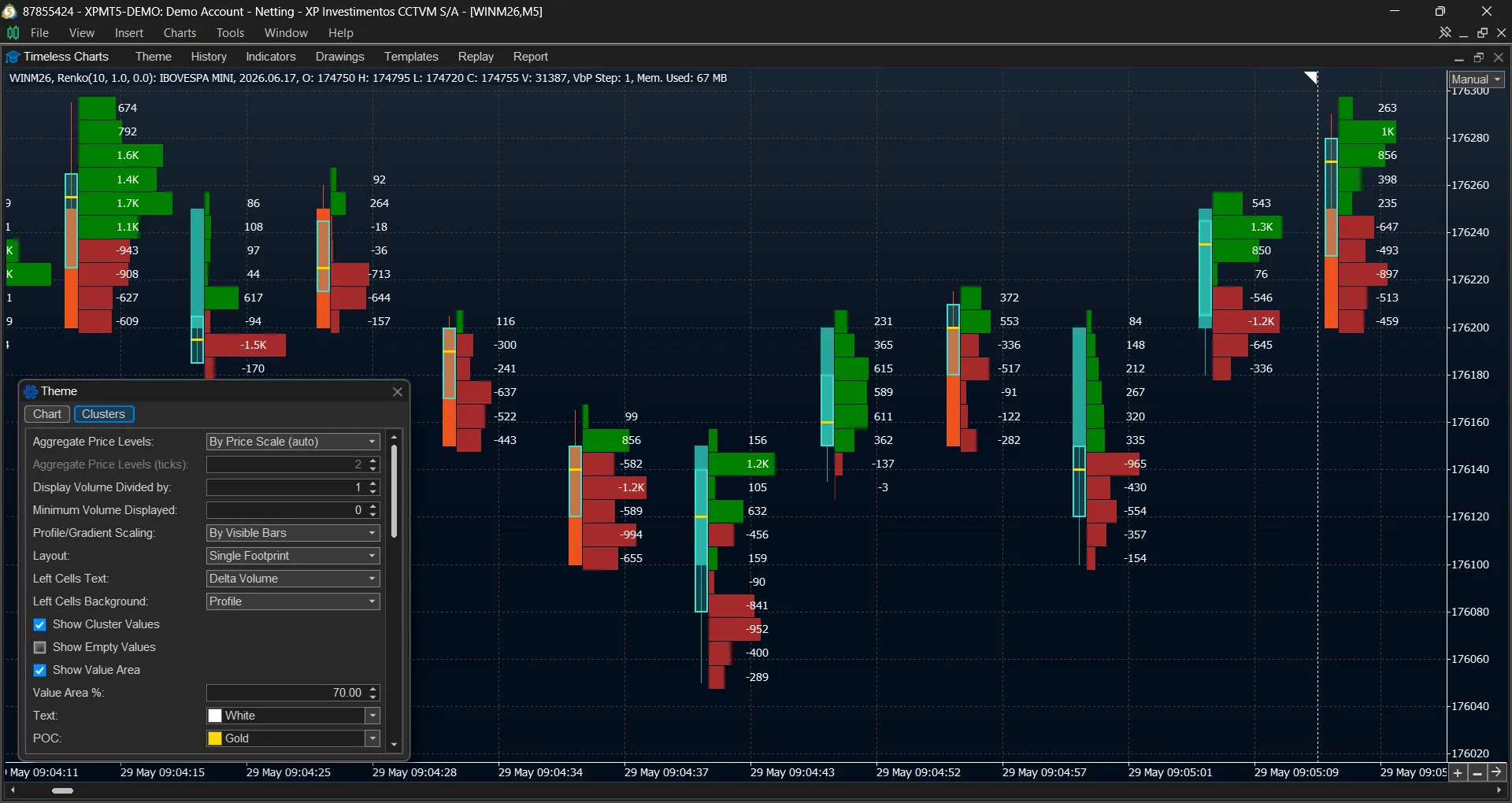
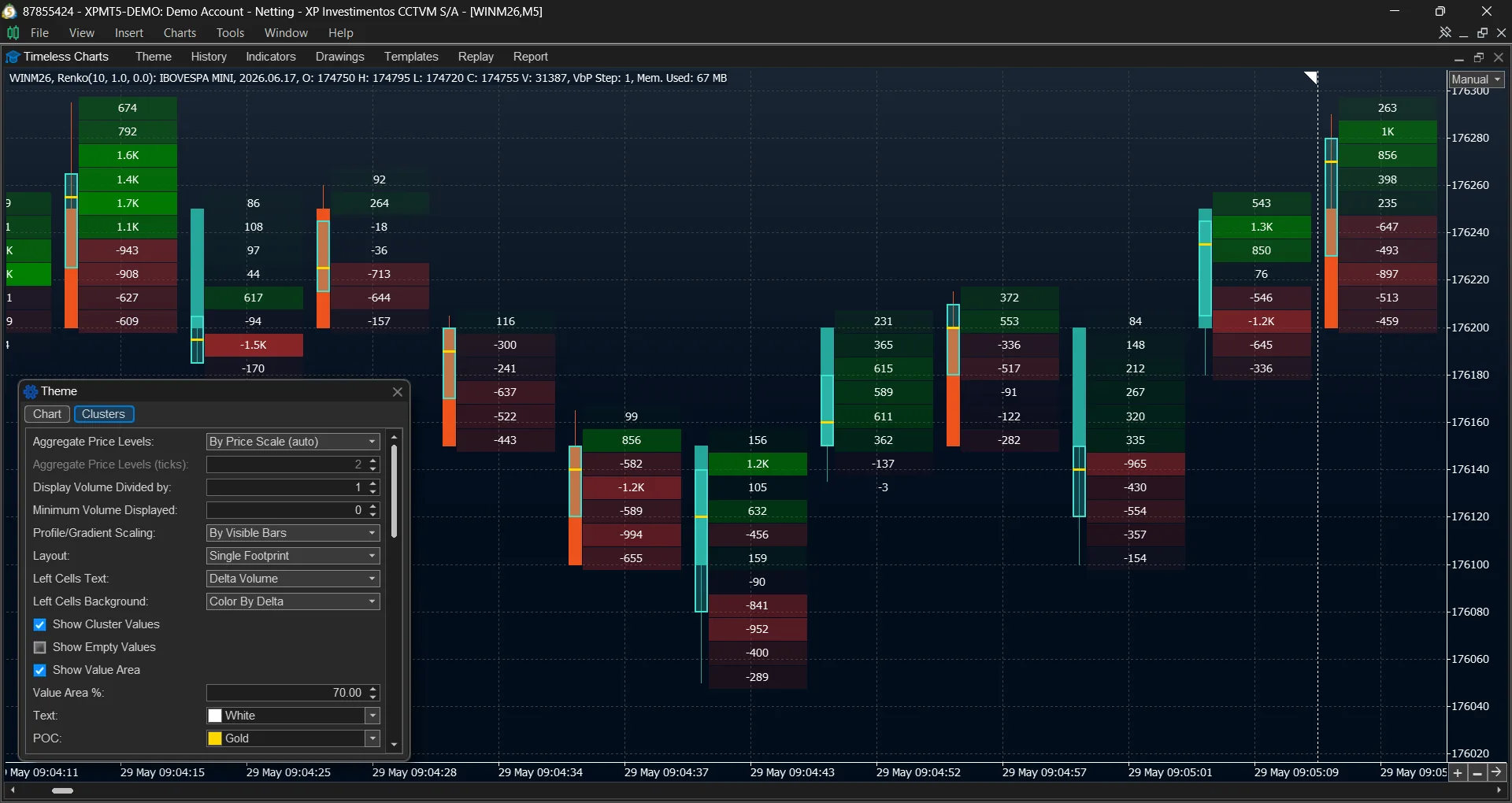
Delta is ask volume minus bid volume. In a delta footprint, each price row shows that net difference rather than the full bid × ask split. Positive delta means more volume traded at the ask; negative delta means more traded at the bid. This keeps the focus on where buying or selling aggression was strongest inside each bar.
Use the row-by-row pattern to see where aggressive trading concentrated, then compare it with the bar's price movement. Delta for an entire bar and cumulative delta across many bars are covered separately in the CVD section below.
- Delta per price row — signed net volume at each traded price
- Delta profile — net volume drawn as a horizontal bar per price
- Positive and negative areas — locate where aggression was concentrated
Volume footprint: see where trading concentrated
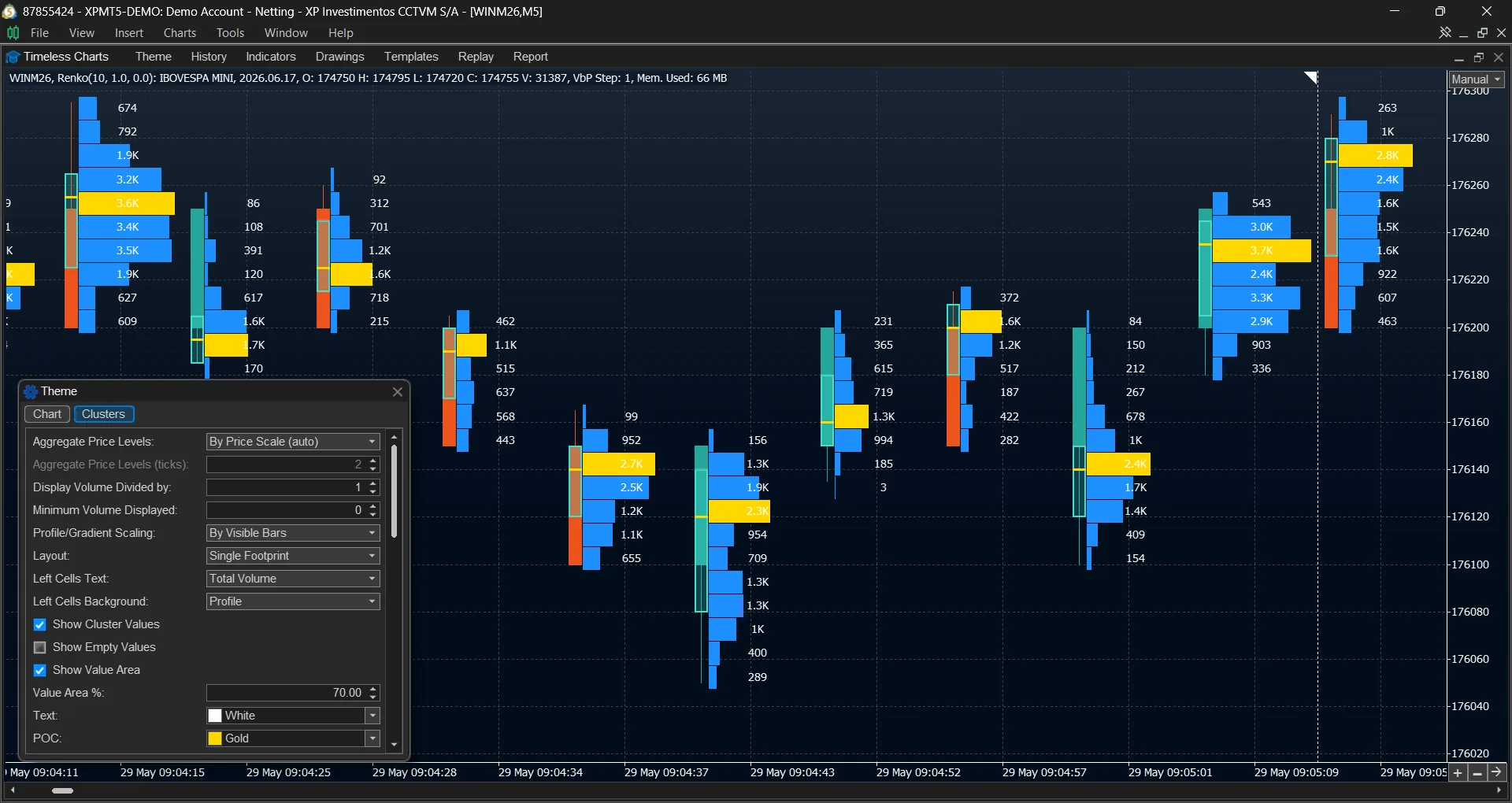
A volume footprint shows the total traded volume at each price, without splitting it between buyers and sellers. It answers a different question from Bid × Ask or Delta: not who was more aggressive, but where participation was concentrated inside each bar.
Read it alongside price structure to identify high-activity areas and quieter price levels. When you need to distinguish participation from directional pressure, compare the same bar with Delta or a Bid × Ask footprint.
- Total volume at each price row
- Volume profiles for a quick view of concentration within the bar
- Pairs naturally with Delta and Bid × Ask for additional context
Footprint heatmaps: read intensity instead of reading numbers
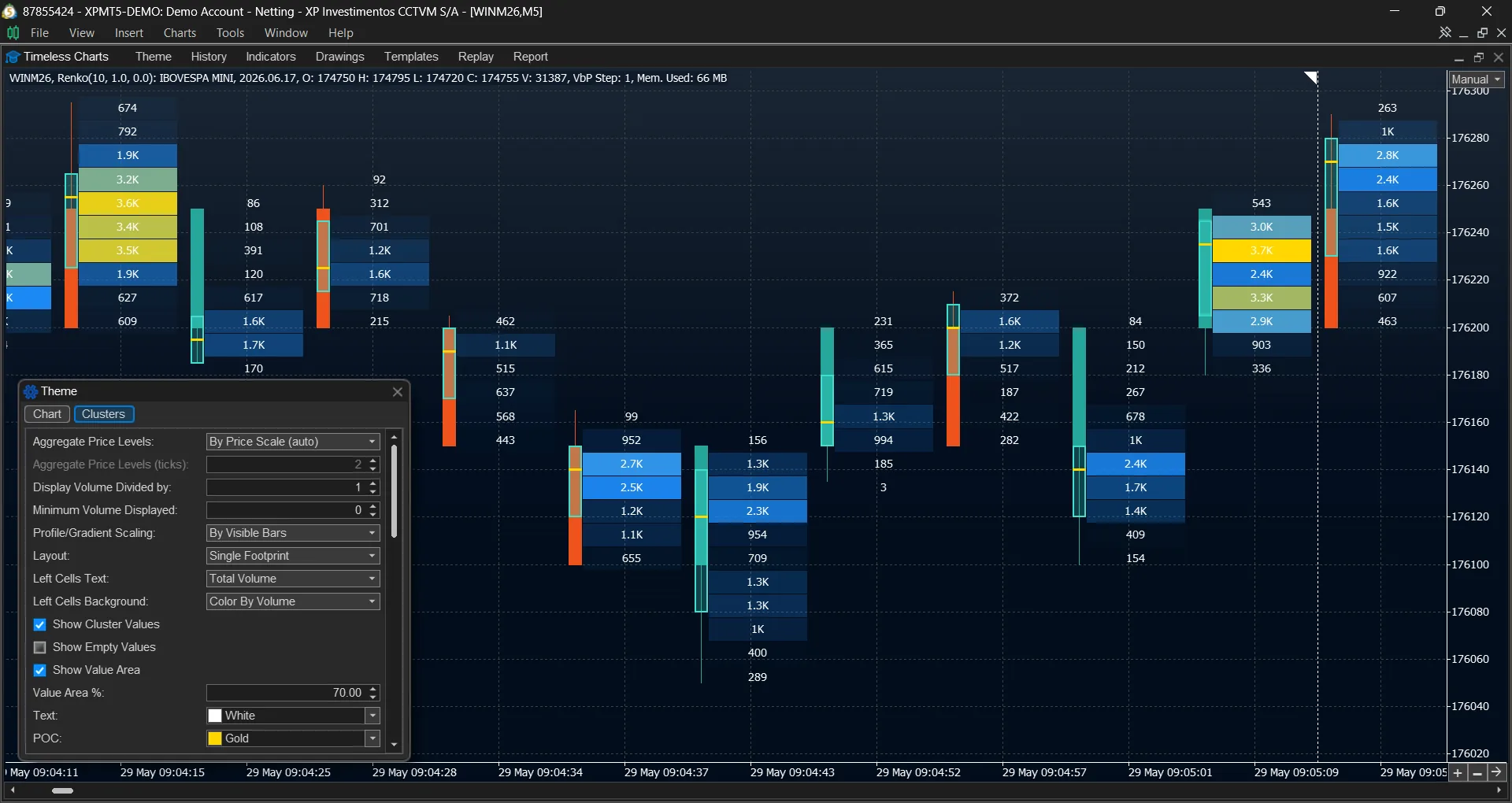
On an active instrument a numeric footprint becomes unreadable within a dozen bars. Heatmaps replace the digits with colour: each price row is shaded by how much traded there, or by how one-sided it was. A volume heatmap shows where participation concentrated; a delta heatmap shows where one side dominated.
Colour can be normalised against the average of the last N bars rather than an absolute value, so a quiet afternoon and a news release stay comparable on the same screen.
- Volume heatmap — traded volume by intensity
- Delta heatmap — signed aggression by intensity
- Normalisation by rolling average, colour direction and palette adjustable
Two studies in one bar column
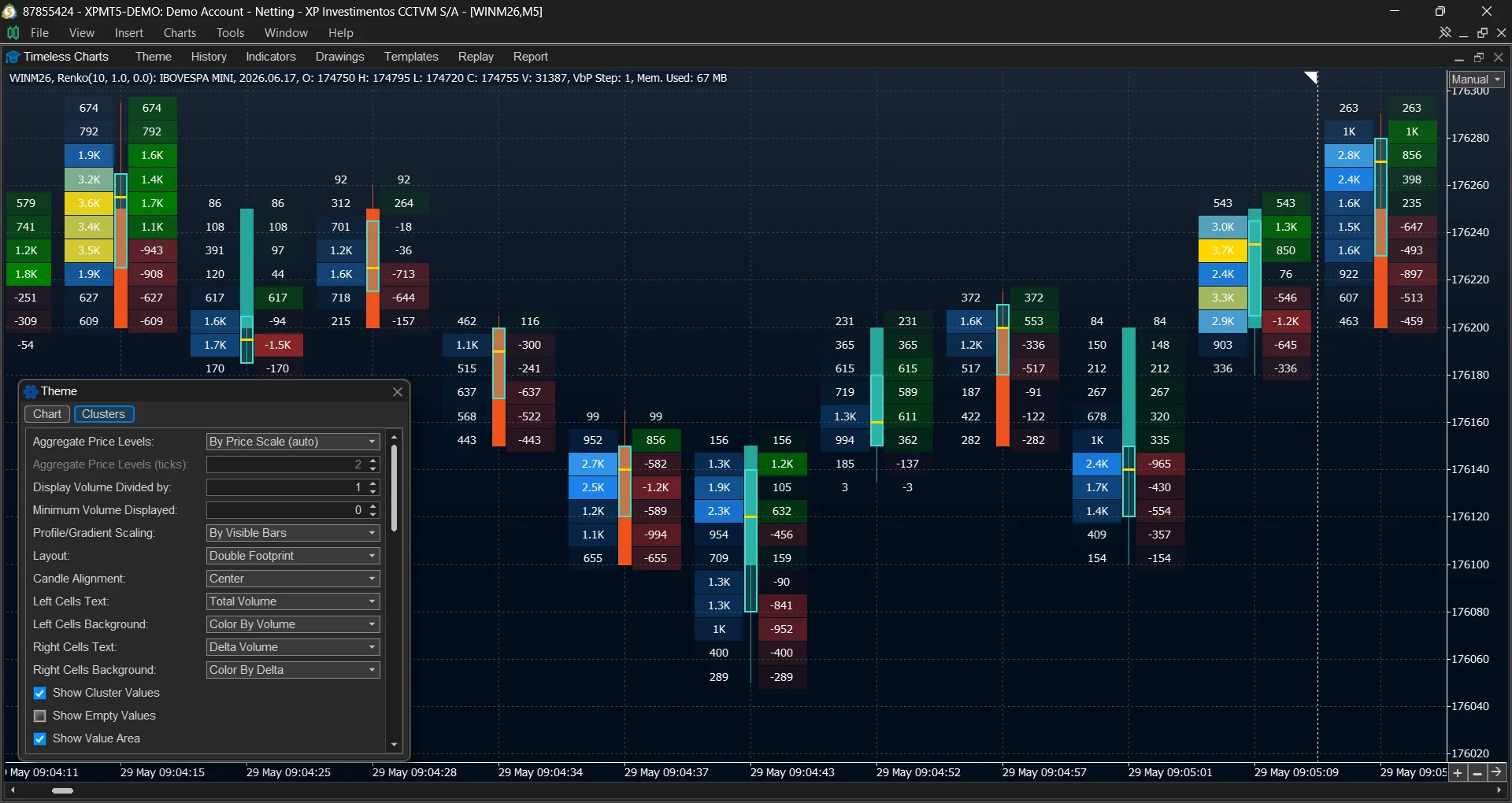
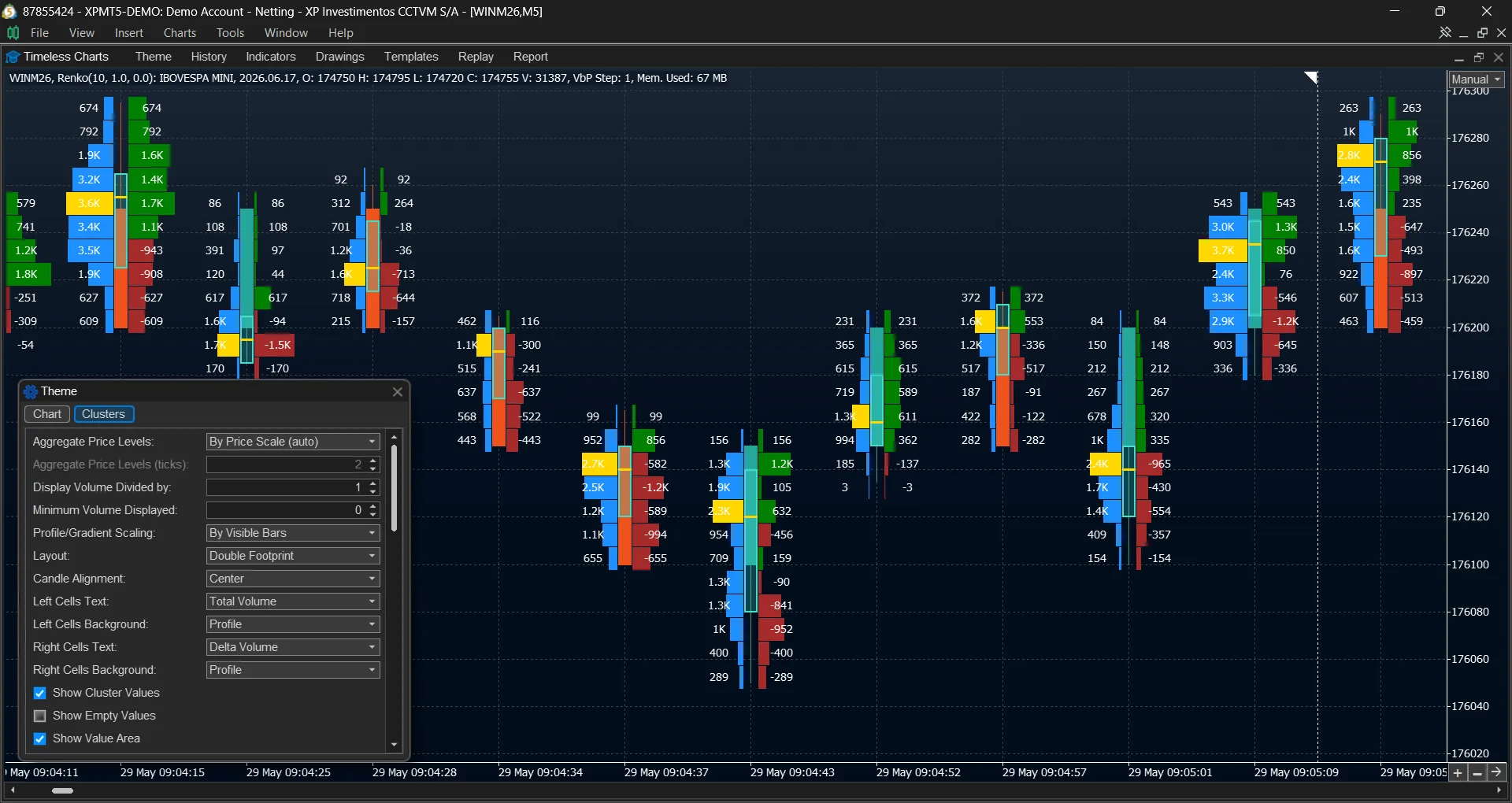
Where volume traded and how aggressively it traded are different questions, and answering them separately means flipping between charts. A combined footprint shows both in the same bar column — Volume | Delta or Volume | Bid × Ask — and either half can carry a profile.
This is also where a footprint earns its place on custom bars: the structure of a Renko brick and the aggression inside it sit side by side, aligned to the same price rows.
Imbalances and stacked imbalances
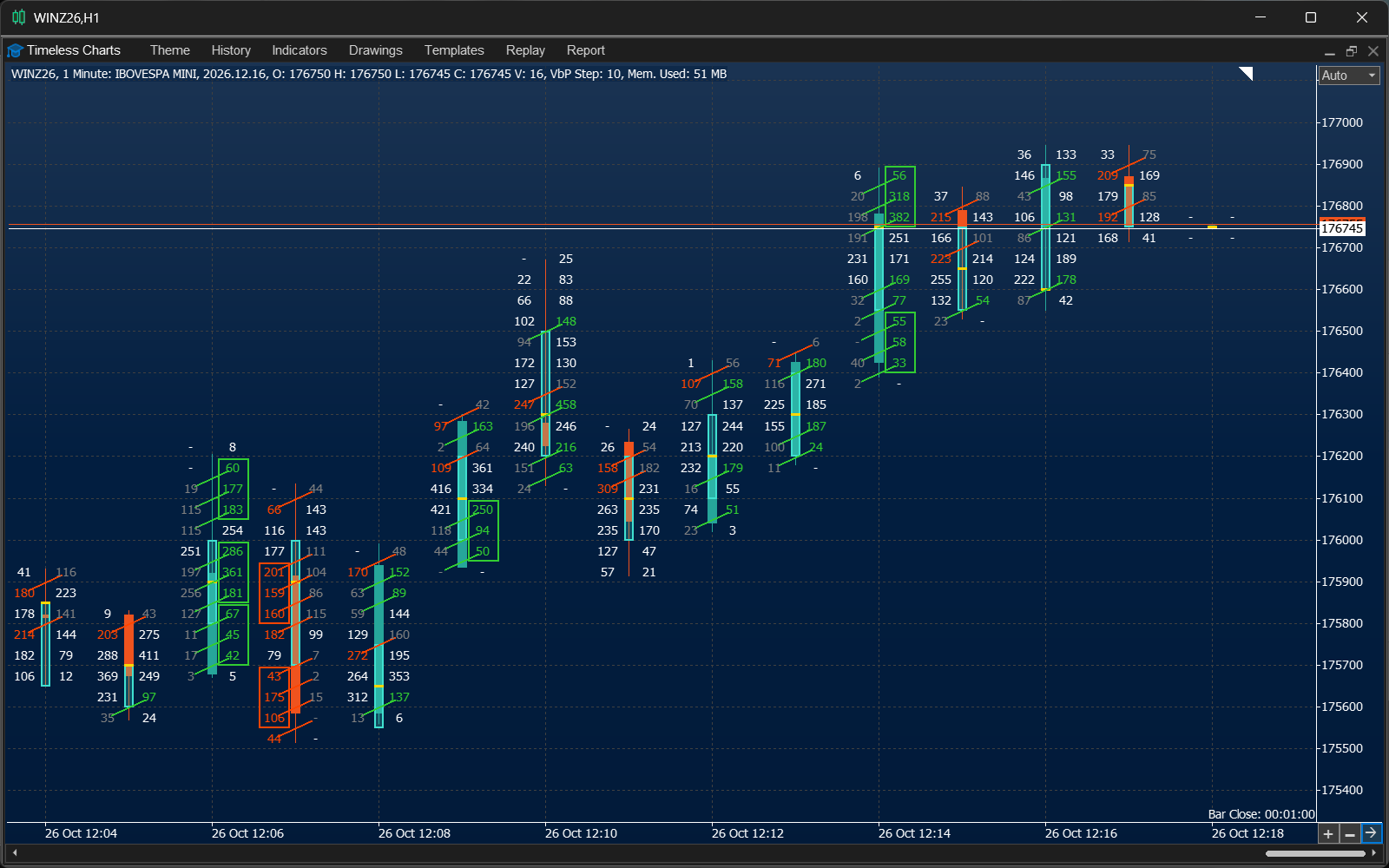
An imbalance is a price row where one side's volume exceeds the other by the ratio you define — commonly 2× to 4×, tuned per instrument because liquidity differs. Timeless Charts highlights those rows automatically; you set the ratio and it does the counting.
Stacked imbalances appear when imbalanced rows line up across consecutive prices, which is where one-sided aggression becomes a move rather than a print. Diagonal comparison measures each row against the opposite side one price away — the stricter reading, and the one that separates genuine aggression from a busy level.
- Configurable imbalance ratio and minimum volume filter
- Stacked imbalance zones across consecutive price rows
- Diagonal comparison between adjacent price levels
Bar statistics: the whole bar summarised in one place
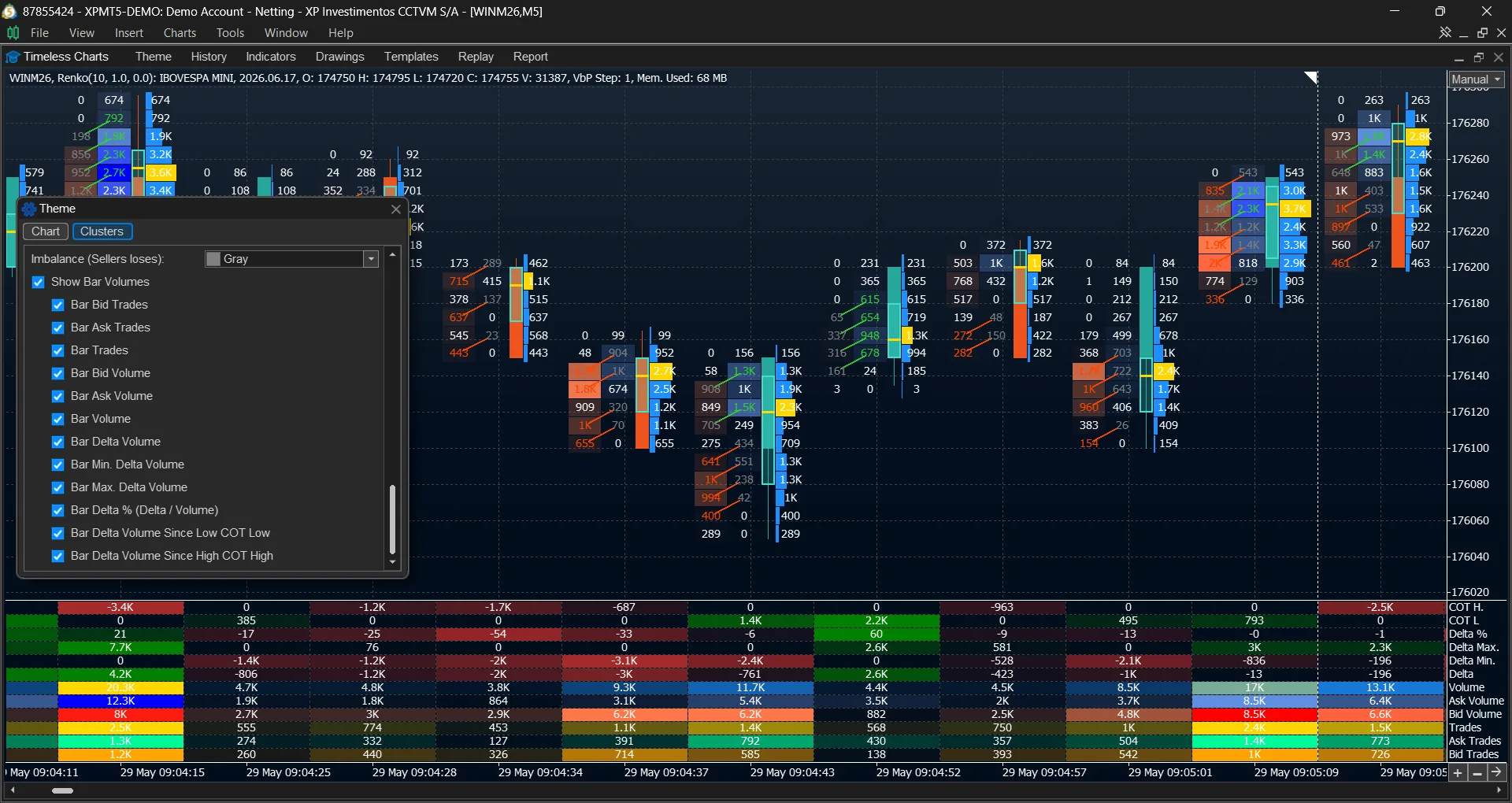
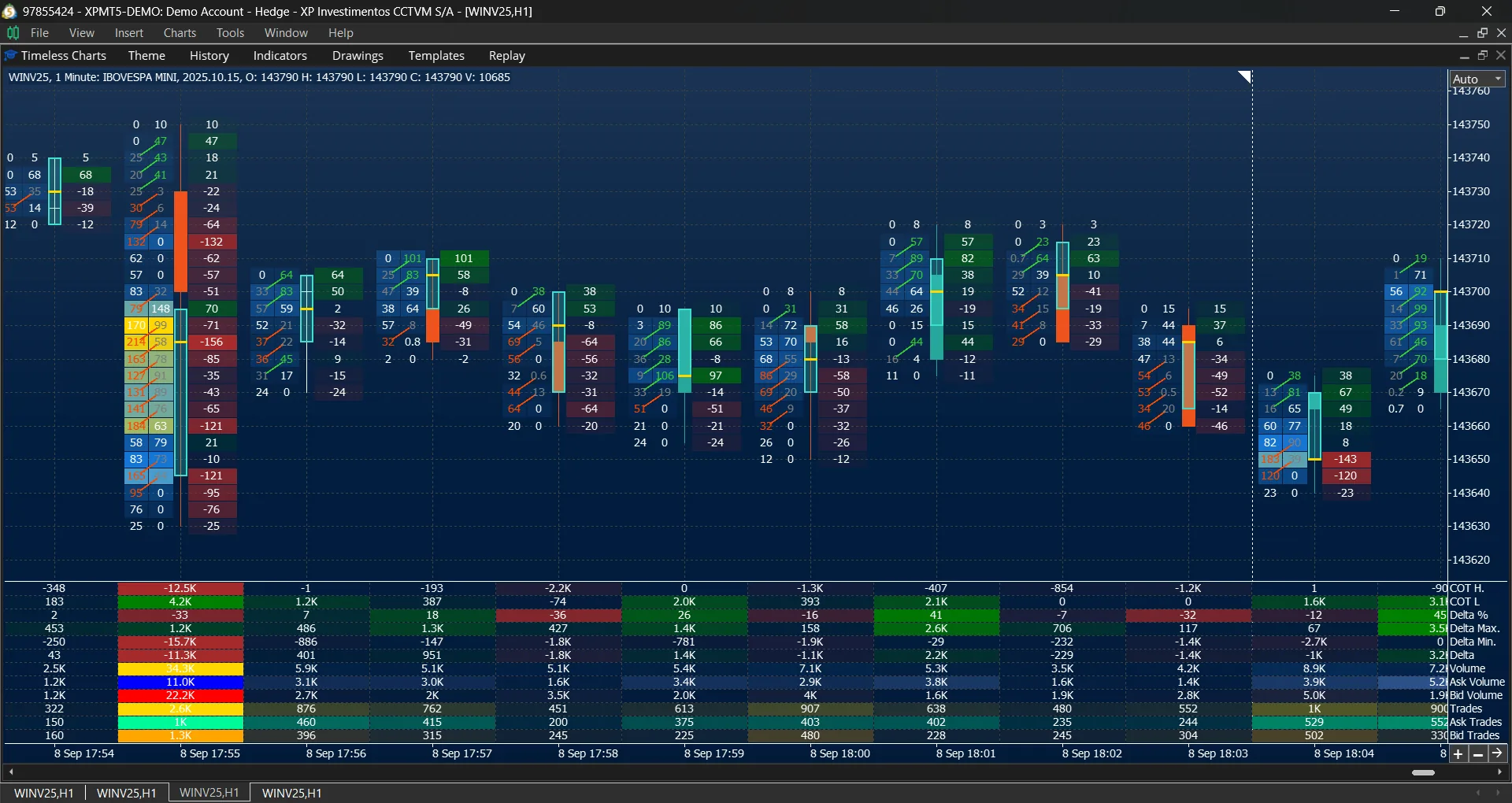
Bar statistics is the per-bar roll-up beside the footprint: total volume, delta, bid volume, ask volume and the relationship between them. It answers the question you ask before opening a footprint at all — was this bar one-sided, and how badly?
Cluster charts sit at the other end of the same data. They aggregate volume by price at a coarser granularity, so you see distribution without the per-row split — useful on instruments where a full footprint is simply too much text.
Put order flow into your own workflow.
Explore footprints, bar statistics, and market profiles with the free Timeless Charts demo.
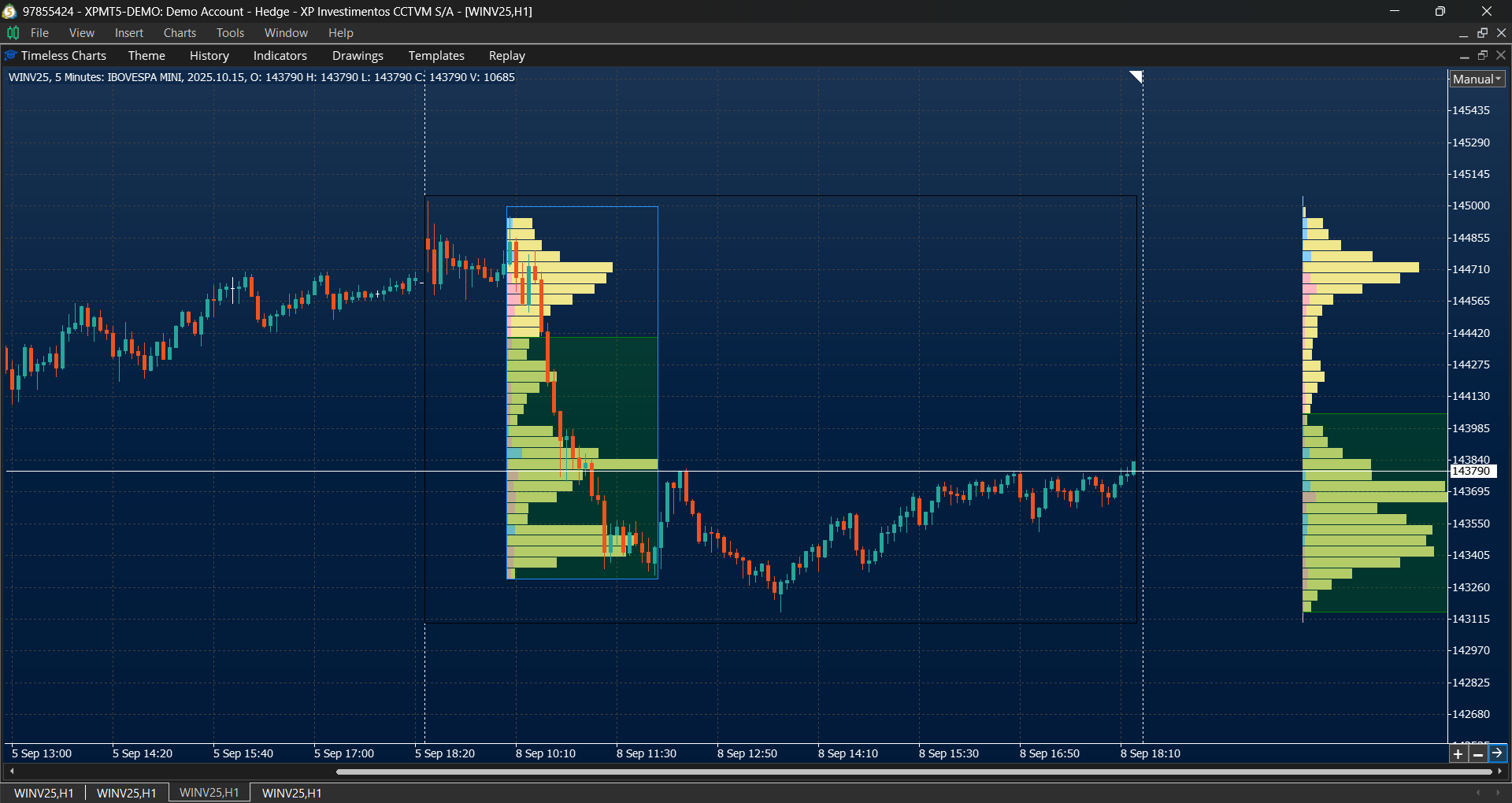
Volume Profile and TPO Market Profile
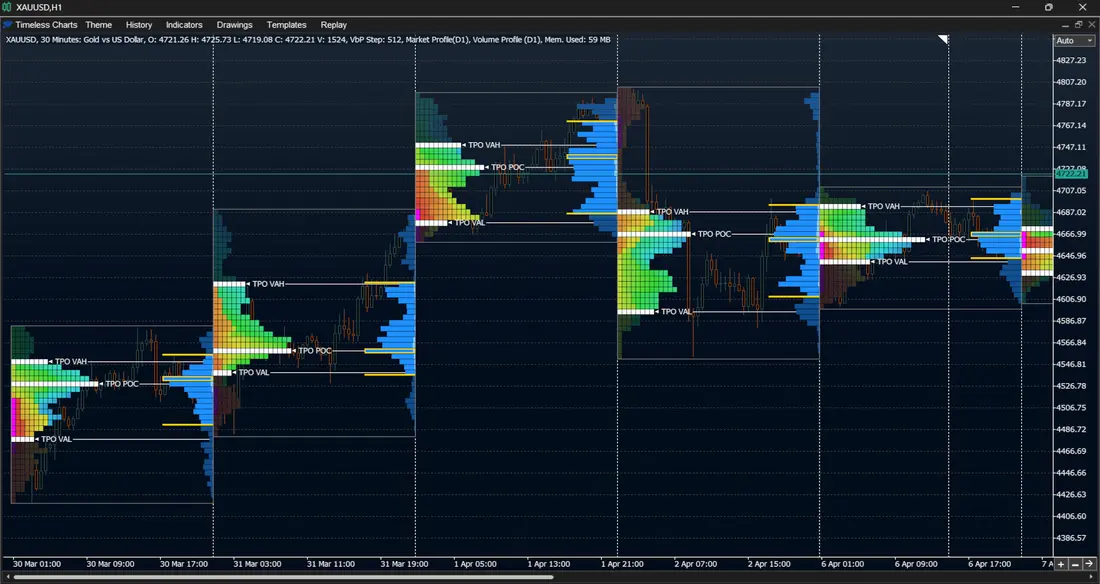
A footprint reads one bar at a time. A profile reads a session: volume-by-price across the whole range, with the Point of Control, the Value Area and the shape of the distribution. Where a footprint shows aggression, the profile shows acceptance — the prices the market was willing to trade at, not just pass through.
TPO replaces volume with time-at-price, which reads auction structure more directly: where the session spent its time, where it rejected quickly, and how value migrated as the day developed.
- Volume Profile — Value Area, POC, high and low volume nodes
- TPO Market Profile — time at price, session structure
- Both available anchored to any point you choose
VWAP bands and anchored VWAP
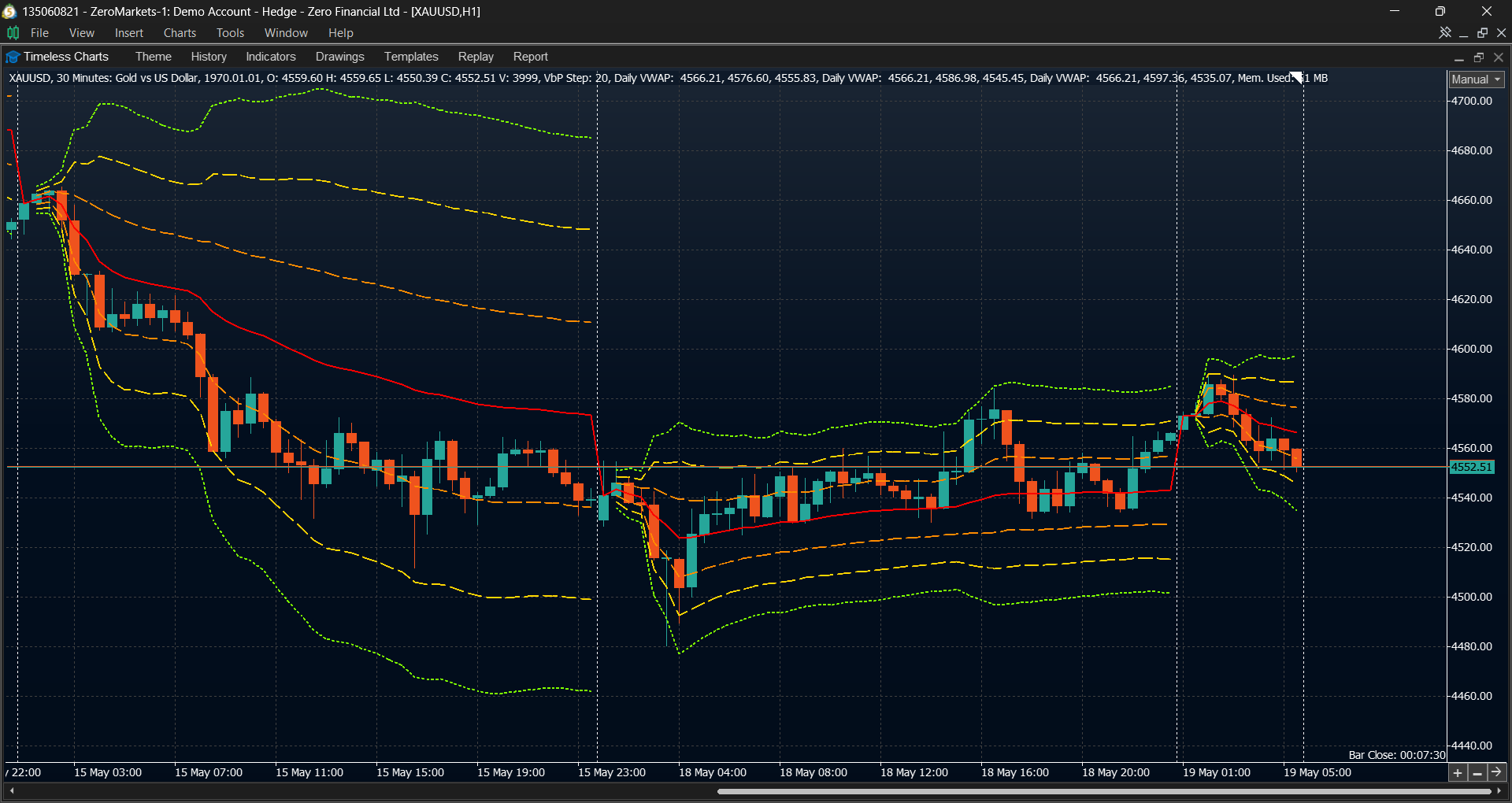
VWAP is volume-weighted average price — fair value for the period, rather than a simple mean of closes. With standard-deviation bands it becomes a map of acceptance and rejection: price rotating inside the bands is balance, price riding the outer band is expansion, and a return through the middle is a failed attempt to trend.
The anchored version is the one that answers a real question. Start VWAP at the news candle, at the swing low, at the session open, or at any point you choose, and measure from there instead of from the top of the chart.
Anchored studies are launched from the same drawing toolbar as trend lines and Fibonacci tools — the placement follows how you work with a chart, even though the study itself is volume-based.
Cumulative Volume Delta: follow aggression over time
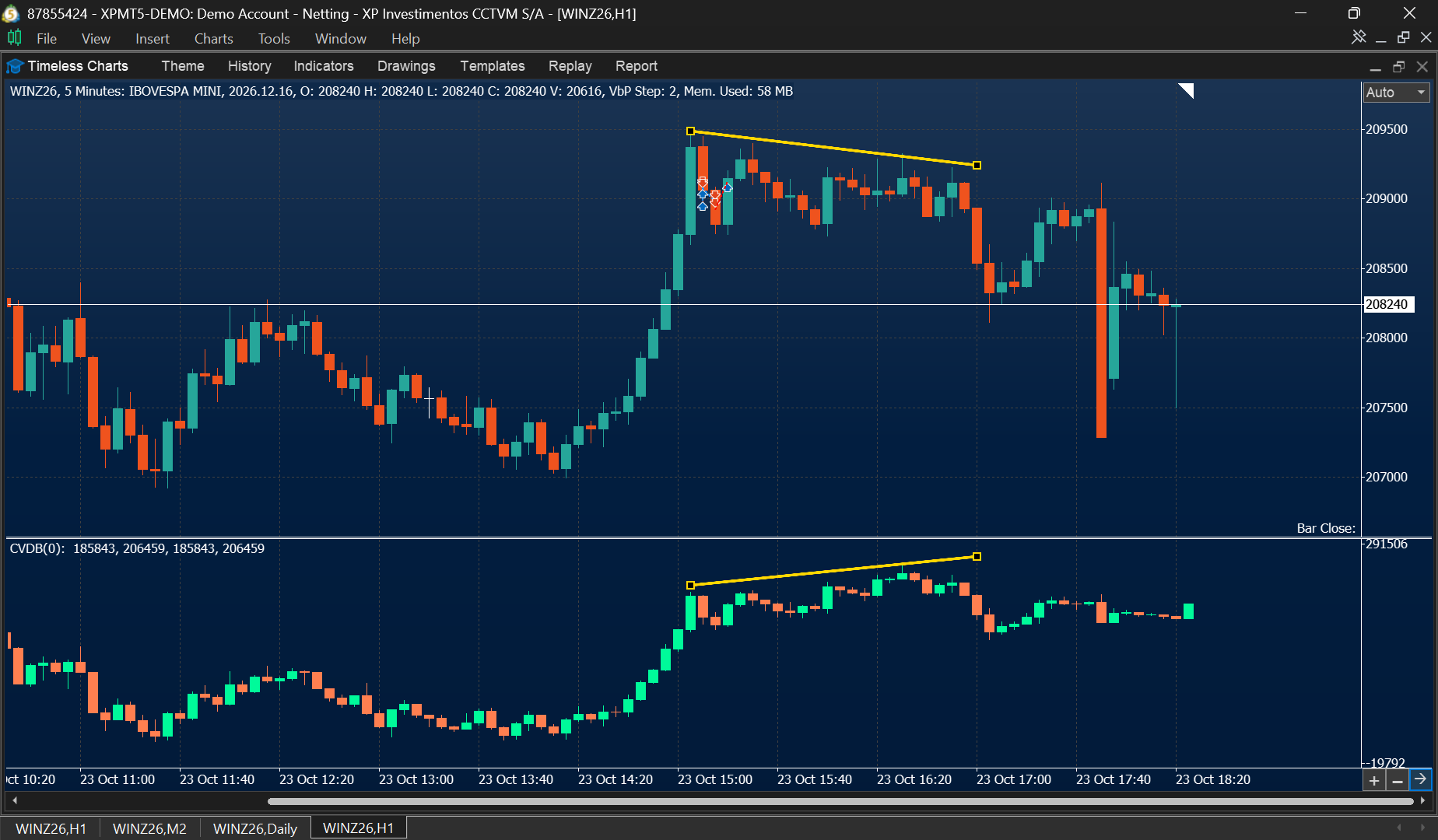
Cumulative Volume Delta (CVD) accumulates the difference between ask volume and bid volume, making it easier to see whether net buying or selling pressure is building across a sequence of bars. Unlike a footprint, which reveals activity at individual prices, CVD shows how that pressure develops over time.
Start with delta for a single bar: ask volume minus bid volume summarizes the bar's net aggression. CVD adds that bar-by-bar delta to a running total, revealing whether net buying or selling pressure is building across a sequence of bars. The two readings answer related but different questions—what happened in one bar, and how that pressure accumulated over time.
Compare either reading with price for context. In this example, price forms two consecutive highs while CVD does not confirm the second high. That divergence can suggest weakening buying pressure, but it is not a standalone prediction or automatic reversal signal.
- Bar delta: net aggression within an individual bar
- CVD: cumulative net aggression across bars
- Compare price and delta swings for possible confirmation or divergence
Put the whole order-flow toolkit on your own chart
Explore the complete order-flow workflow in the free demo, which runs directly inside MetaTrader 5.
The same readings, on bars that form for a reason
Order flow is usually studied on time candles, where a quiet minute and a violent minute produce bars of identical width. That mismatch hides half the story: the bar says something happened, the axis says nothing did.
Renko and Range bars
Each brick exists because price covered a distance. Footprint rows inside it show who paid for that movement.
Tick and Volume bars
Bars form on activity, so the footprint inside them is measured against a consistent amount of trading rather than a consistent amount of time.
Seconds charts
Sub-minute resolution without dropping to raw ticks — where intrabar aggression is visible before it appears on a one-minute candle.
Replay, with the same tools
Market Replay rebuilds footprints, profiles and delta from historical ticks on your own chart setup, so you can review a session with the same views you use live.
Turn order-flow analysis into a complete workflow
Order flow is built on the bars you choose and can inform the trades you manage. Explore the charting foundations or the tools for execution, simulation, and review.
Explore Market Analysis
Explore practical guides to chart types, order flow and market structure in our educational article library. Start with the Footprint Chart Guide for a hands-on introduction to reading order flow.