Charts that form on what happened, not on what time it is
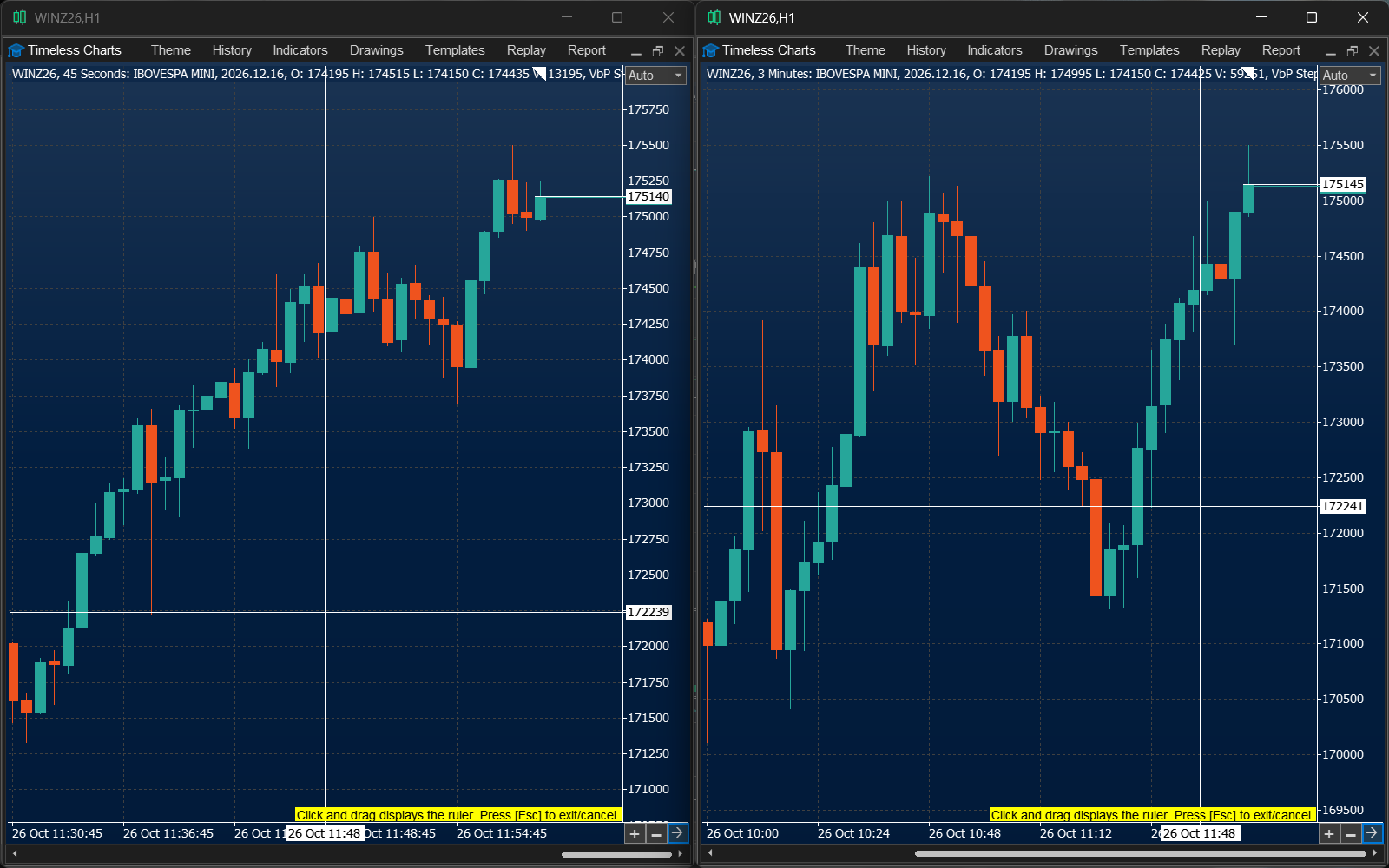
MetaTrader 5 draws a new bar when the clock says so. Timeless Charts adds eight chart types that form on price distance, range, reversal, trades or volume — and keeps indicators, drawing tools and the rest of the toolkit working on all of them.
Every chart answers “when should a new bar begin?”
That rule is the whole difference between chart types, and it decides what the chart can show you. A time bar treats a quiet minute and a violent one identically, so activity is invisible in the geometry. Change the rule and the axis starts carrying information instead of noise.
| Chart type | A new bar forms when… | What it reveals |
|---|---|---|
| Seconds / custom timeframes | A set number of seconds, minutes, hours or days passes | Intrabar structure below MT5's one-minute floor |
| Renko | Price travels a fixed distance | Trends without time-based noise |
| Range bars | Price covers a fixed range | Uniform bar height; sideways chop filtered out |
| Point & Figure | Price reverses by a set amount | Columns of significant movement only |
| Kagi | Price reverses past a threshold | Line thickness flips with direction |
| Line Break | Price breaks the extreme of earlier lines | Retracements below your threshold suppressed |
| Tick | A fixed number of trades print | Speed of activity, independent of the clock |
| Volume | A fixed volume trades | Where size actually moved price |
- Build
Seconds charts and custom timeframes
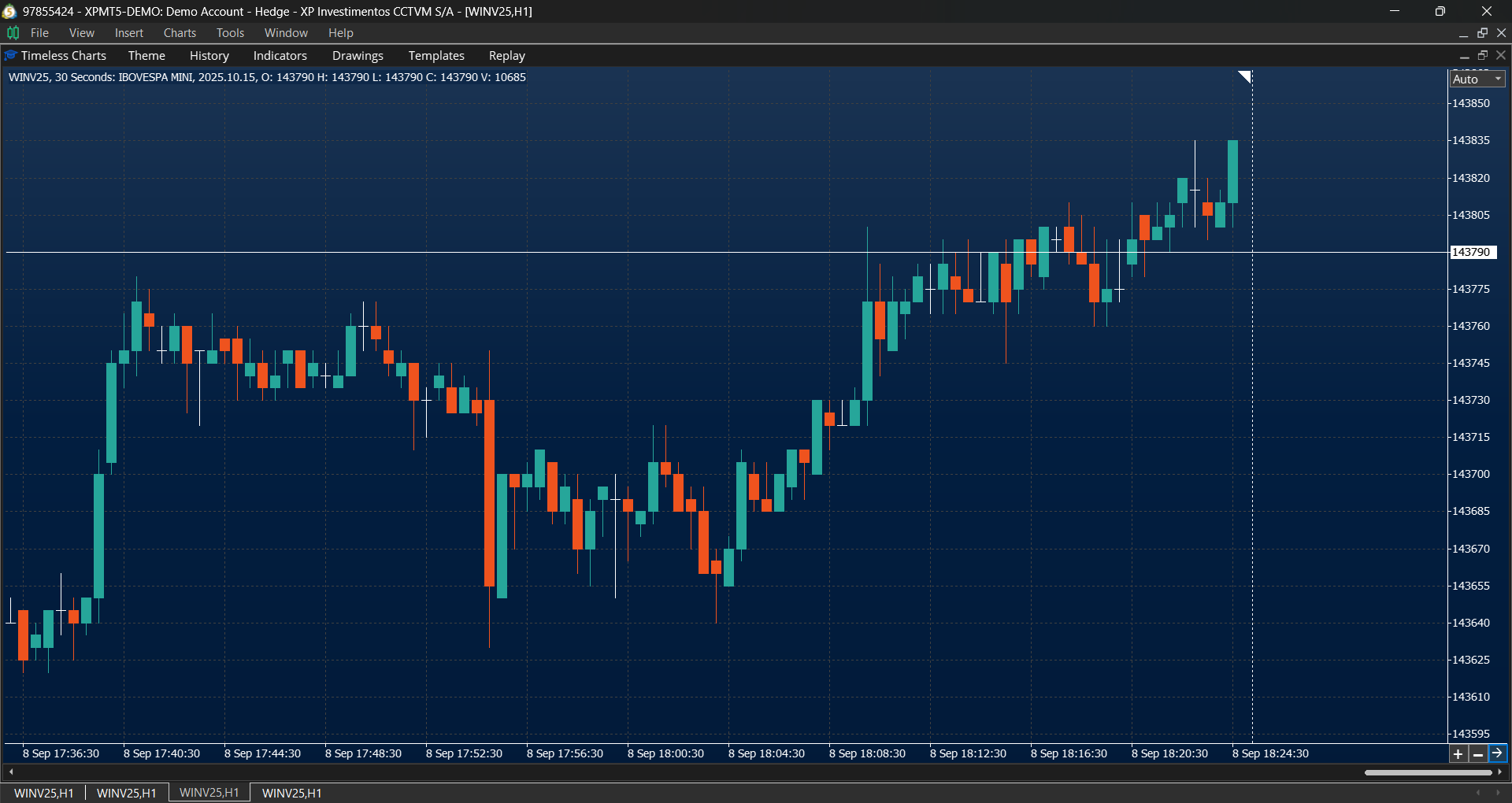
MetaTrader 5 has no native timeframe below one minute. Timeless Charts adds seconds charts alongside custom Minutes, Hours and Days timeframes, so short-term traders work at the resolution the market actually moves at.
A seconds chart is the fastest way to see intrabar structure without dropping to raw ticks, and it stays readable on instruments where a one-minute bar swallows several swings. On slower instruments, custom Hours and Days bars compress what would otherwise be dozens of standard timeframes.
- Build
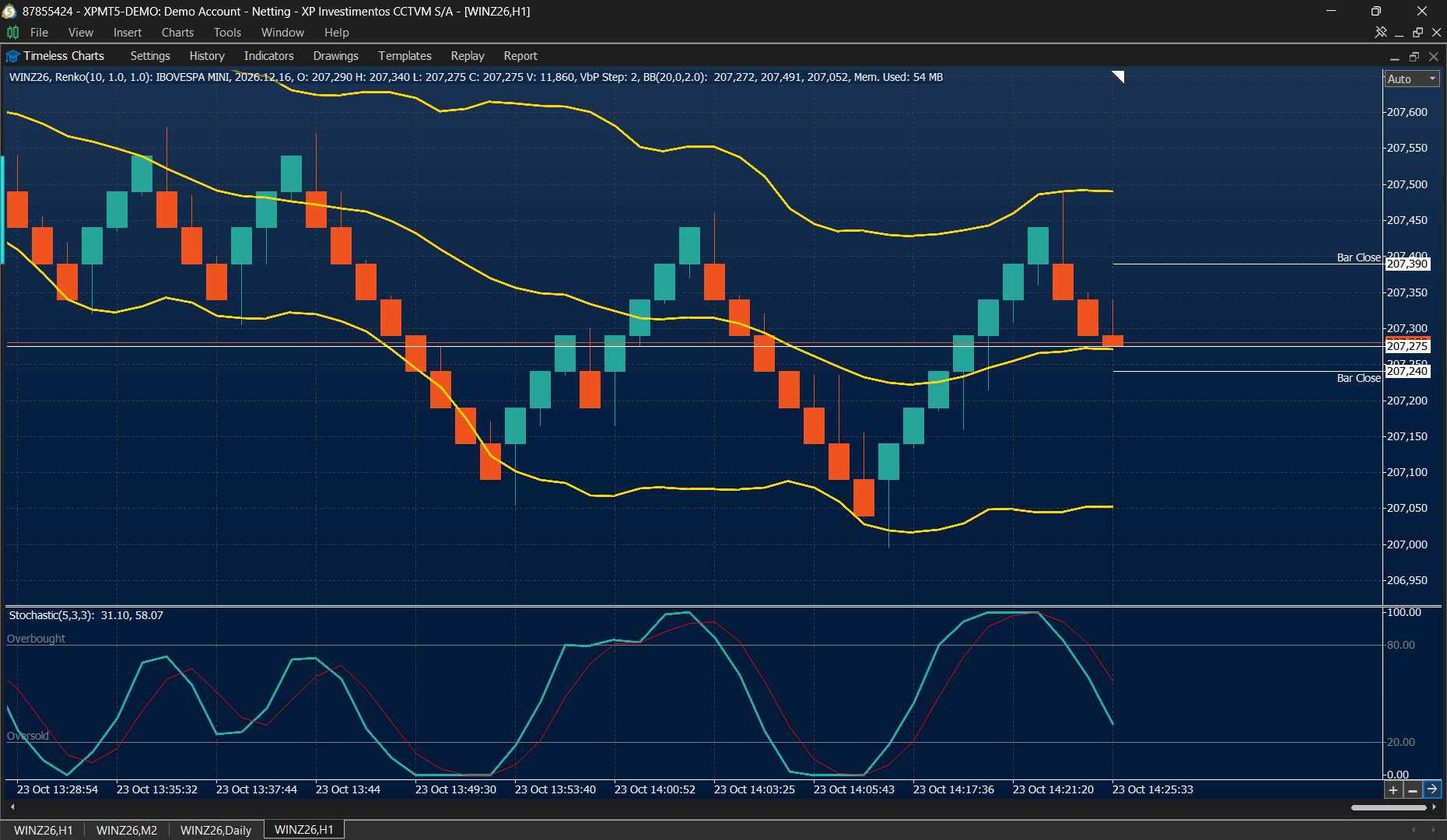
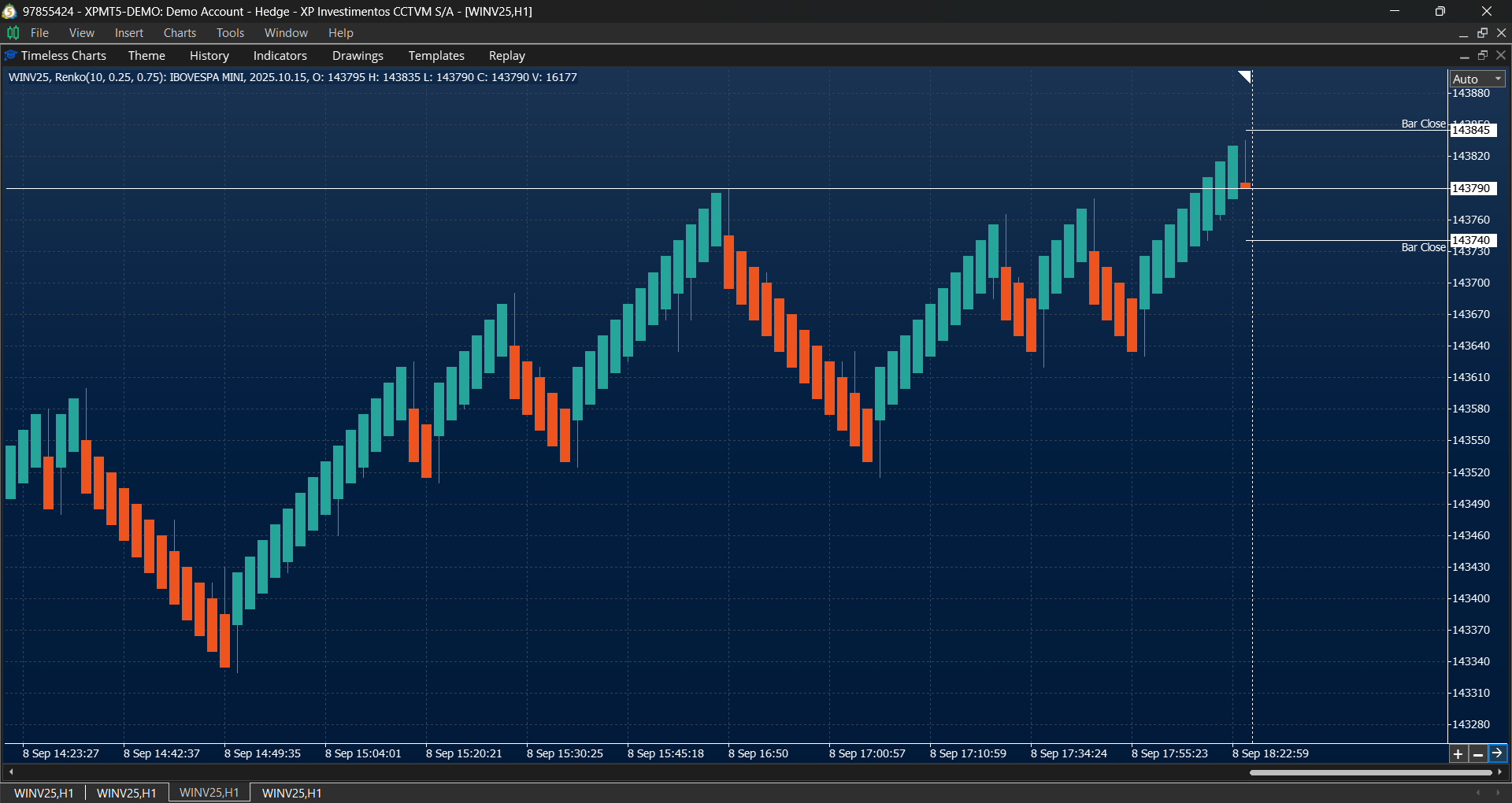
Renko, and four ways to build it
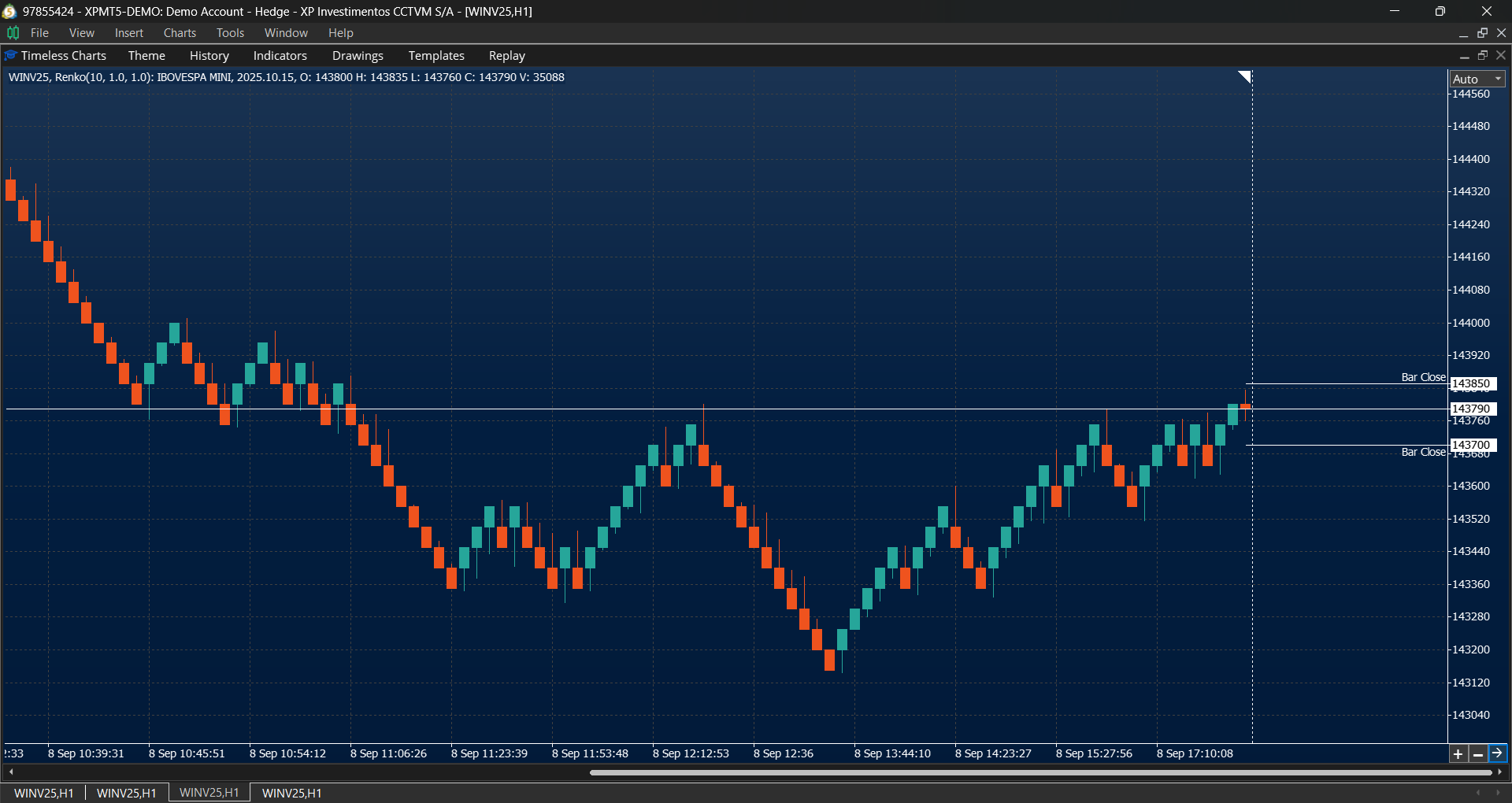
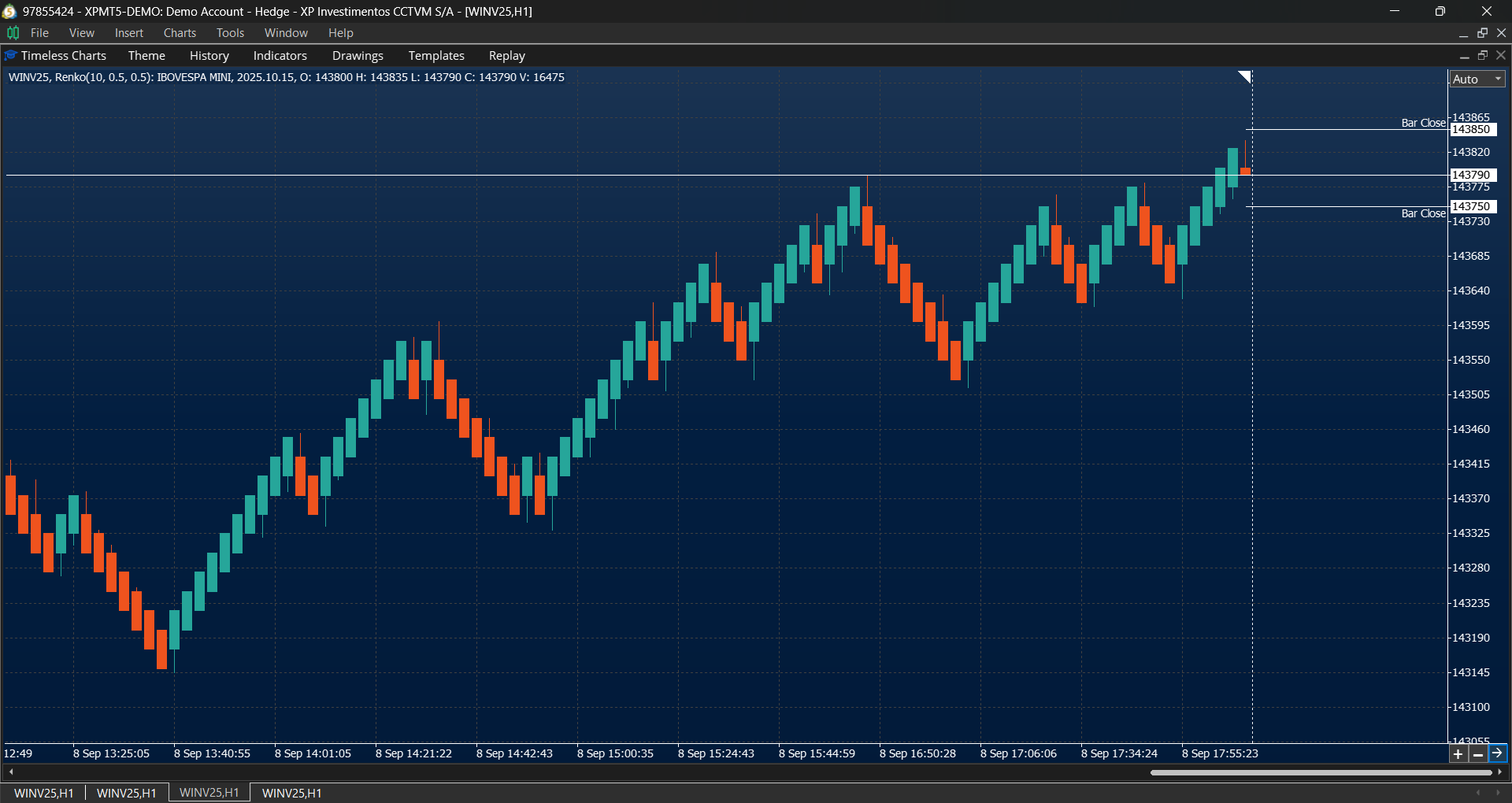
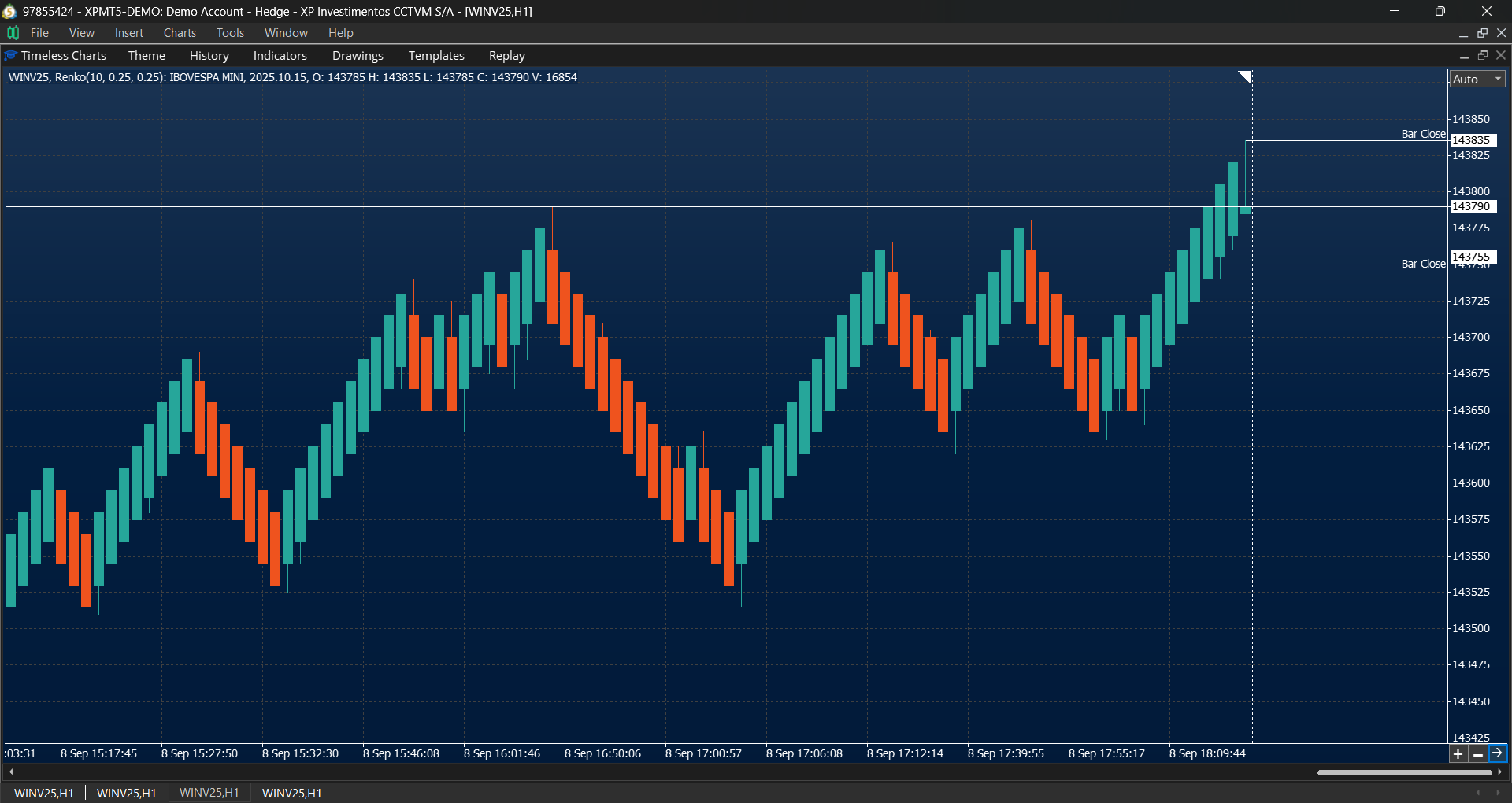
Renko bricks form only when price travels a fixed distance, so time disappears from the horizontal axis entirely. Quiet periods produce no bars at all; a trending move produces a clean sequence you can read without filtering anything.
The hard part of Renko is choosing the brick size, and a fixed size behaves badly when volatility shifts. Timeless Charts includes three variants that answer that differently:
- Median Renko — brick construction based on median price, which reduces the effect of single-print spikes
- Turbo Renko — faster reversal confirmation, at the cost of more bricks
- Hybrid Renko — combines the two approaches so brick size and reversal rule are set independently
- Build
Range bars: give every bar the same price range
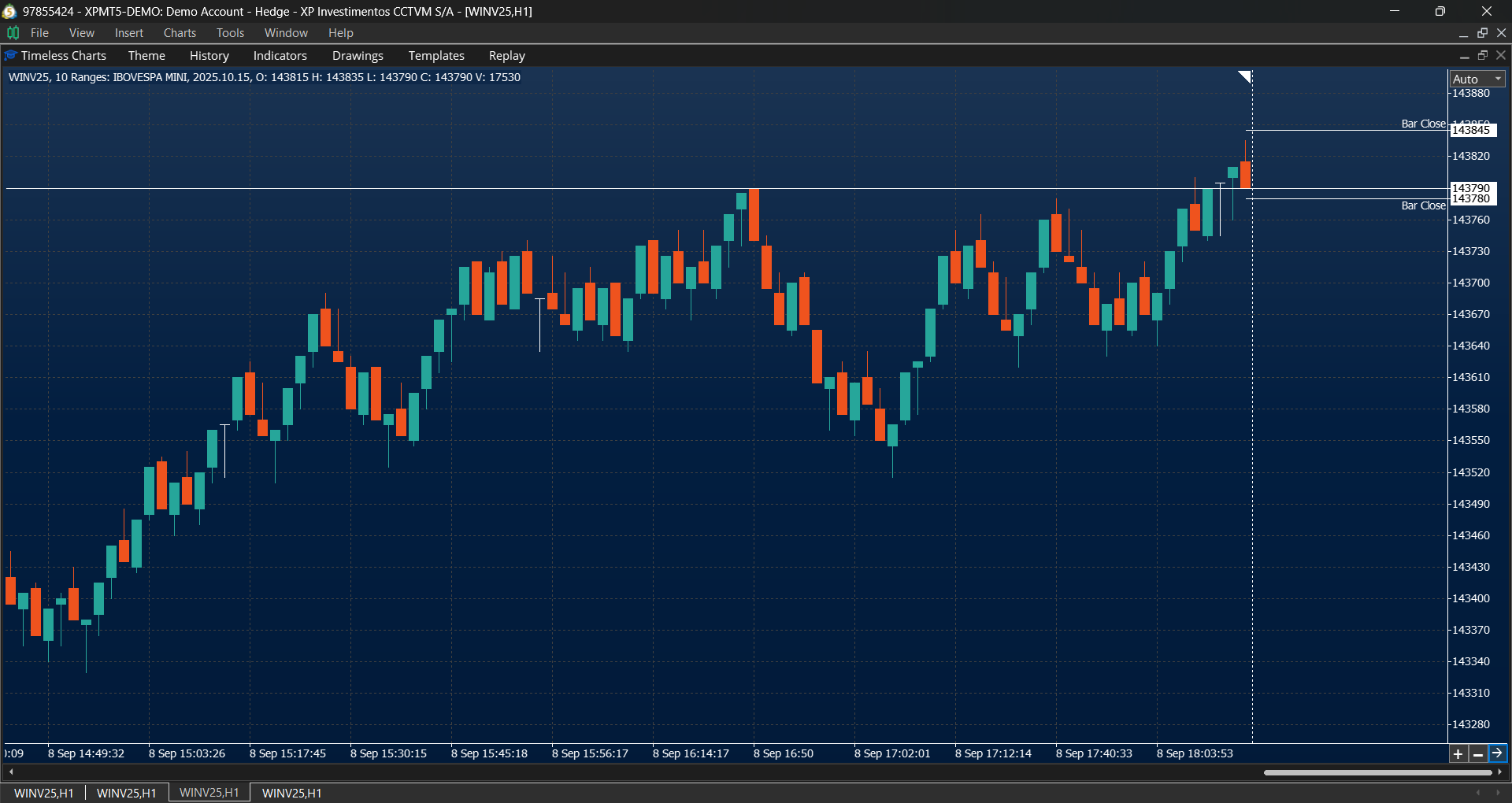
Range bars close when price has travelled a defined distance, rather than when a fixed amount of time has passed. Each completed bar therefore represents the same price range, making it easier to compare movement without the tall and short candles created by changing volatility in time-based charts.
When the market moves sideways, fewer bars form; when price moves actively, bars form faster. This makes range charts useful for studying price movement while reducing the visual weight of periods in which little progress is made.
- Build
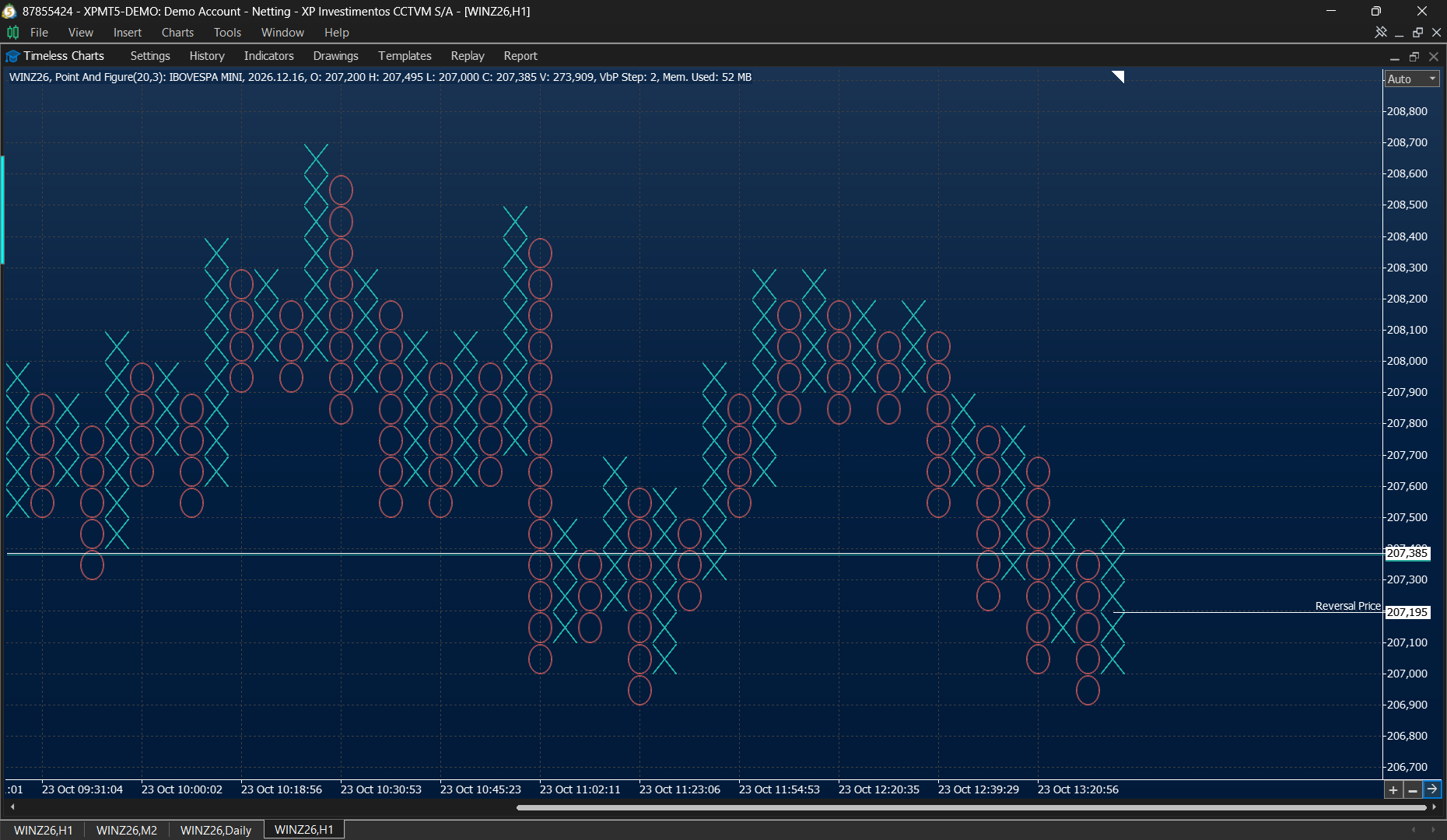
Point & Figure: focus on significant price movement
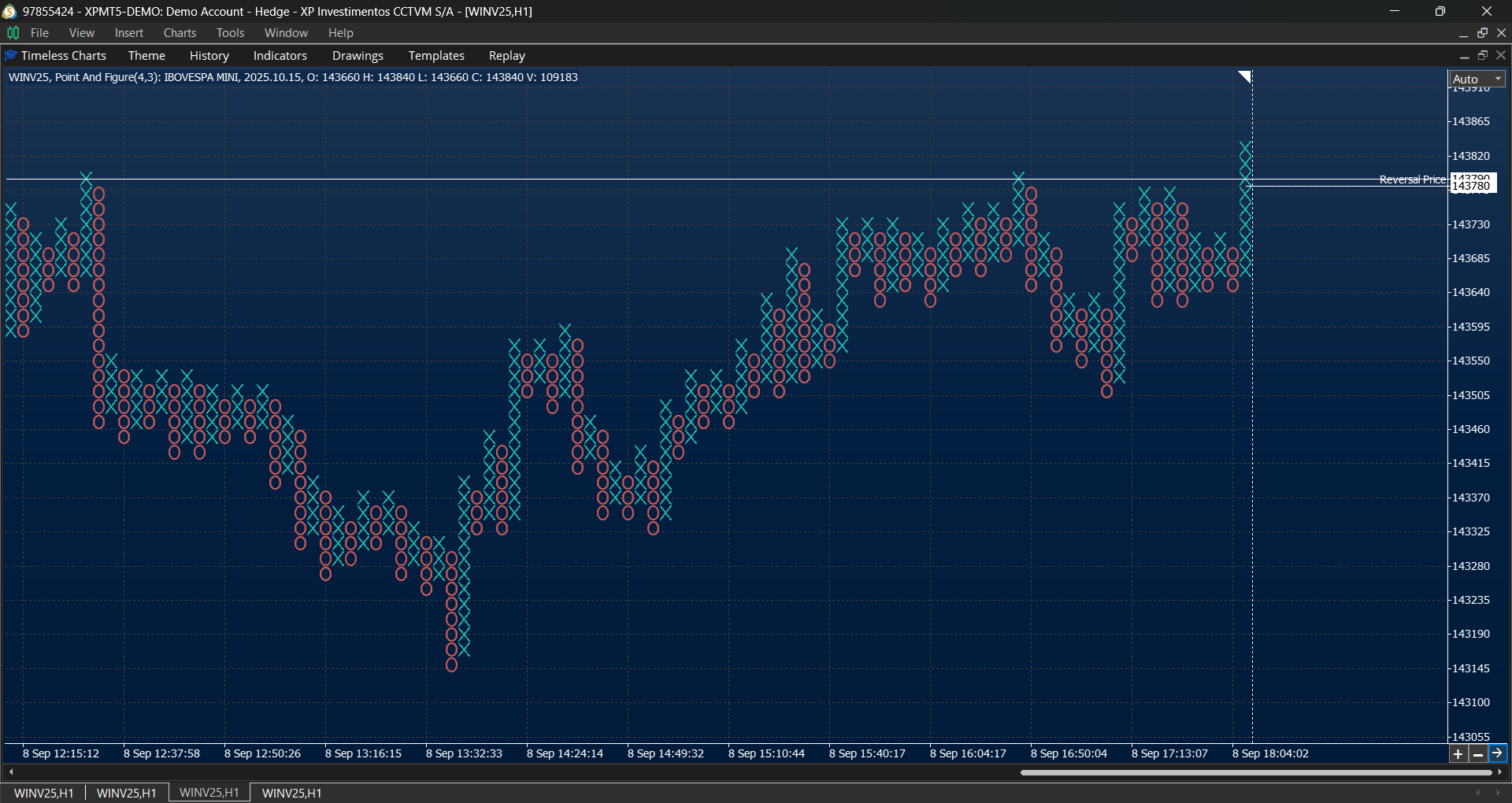
Point & Figure charts represent rising and falling price moves as columns of Xs and Os. A new column begins only after price reverses by the configured threshold, filtering out smaller fluctuations and putting the focus on directional movement rather than elapsed time.
The resulting structure can help you compare support, resistance and breakout levels across long stretches of market history without a time axis stretching quiet periods or compressing active ones. Choose the box size and reversal settings to control how much movement the chart treats as meaningful.
- Build
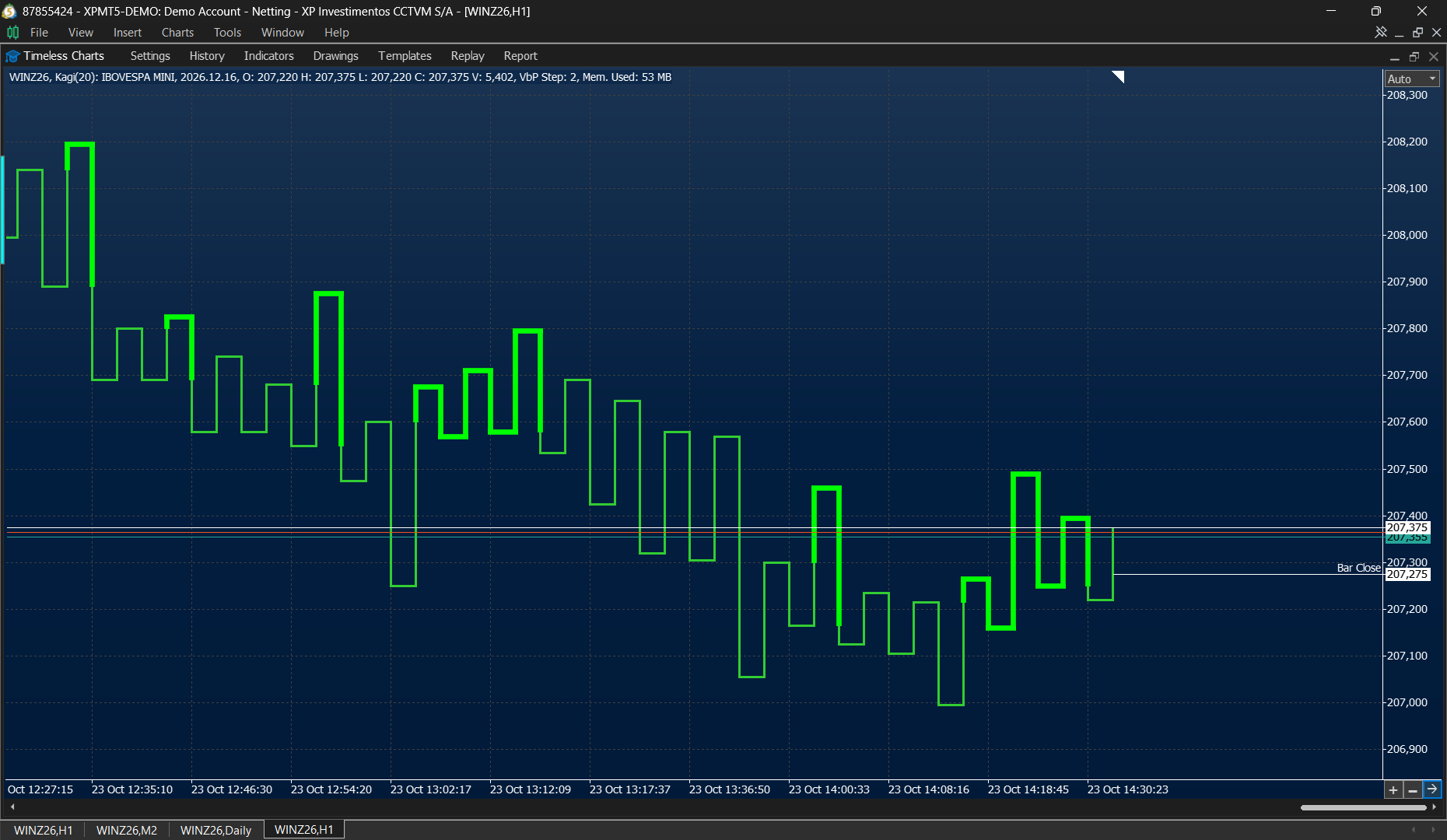
Kagi: see changes in directional pressure
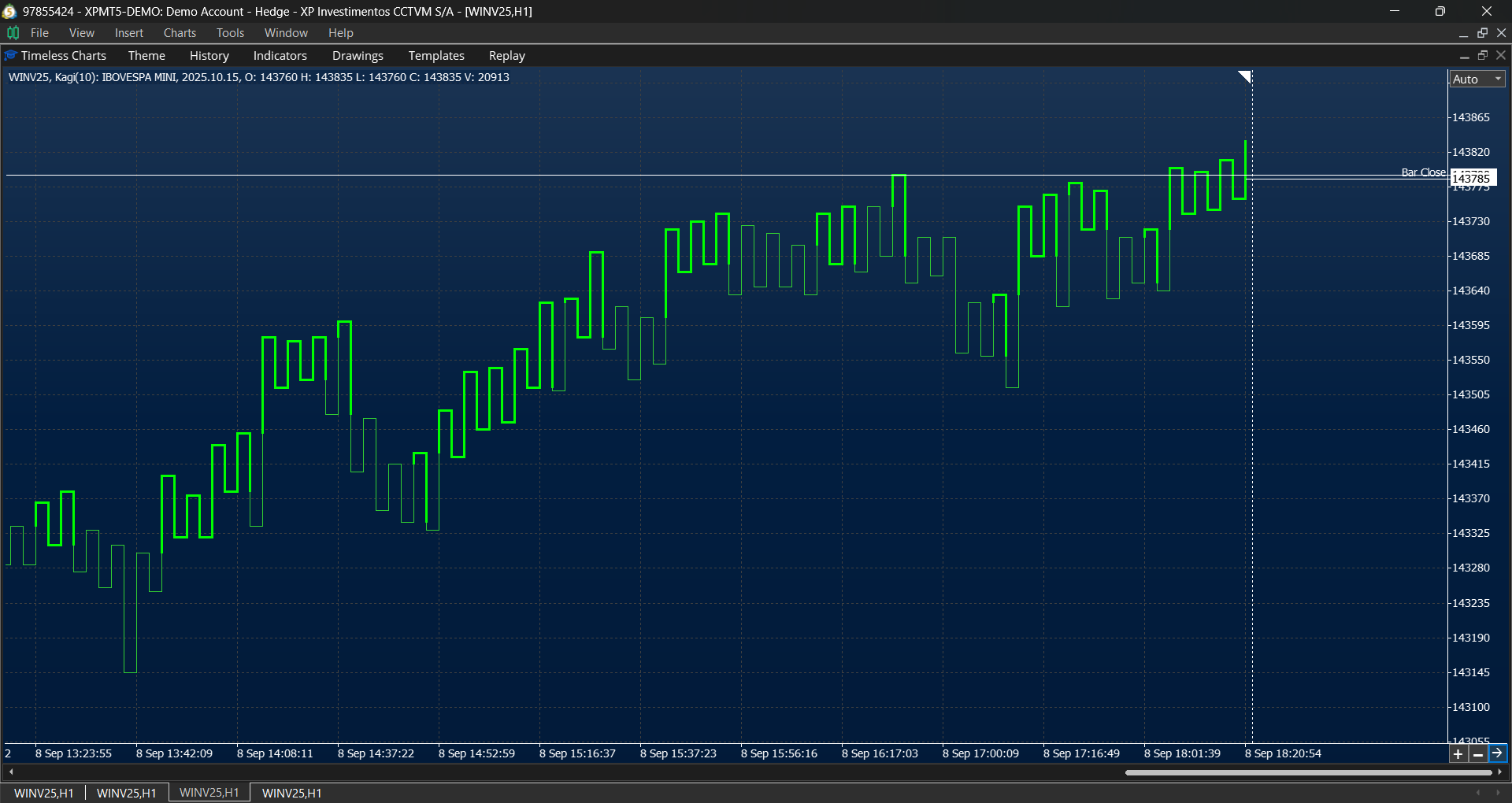
Kagi charts replace candles with a continuous line that changes direction only after price reverses beyond a defined threshold. The line's thickness changes as price crosses key turning levels, giving the chart a visual way to distinguish directional phases without individual bar boundaries.
By filtering smaller counter-moves, Kagi can make a developing trend and its reversals easier to follow. The reversal setting controls how much movement is needed before the line changes direction, so you can tune the chart to the instrument and the kind of swings you want to study.
- Build
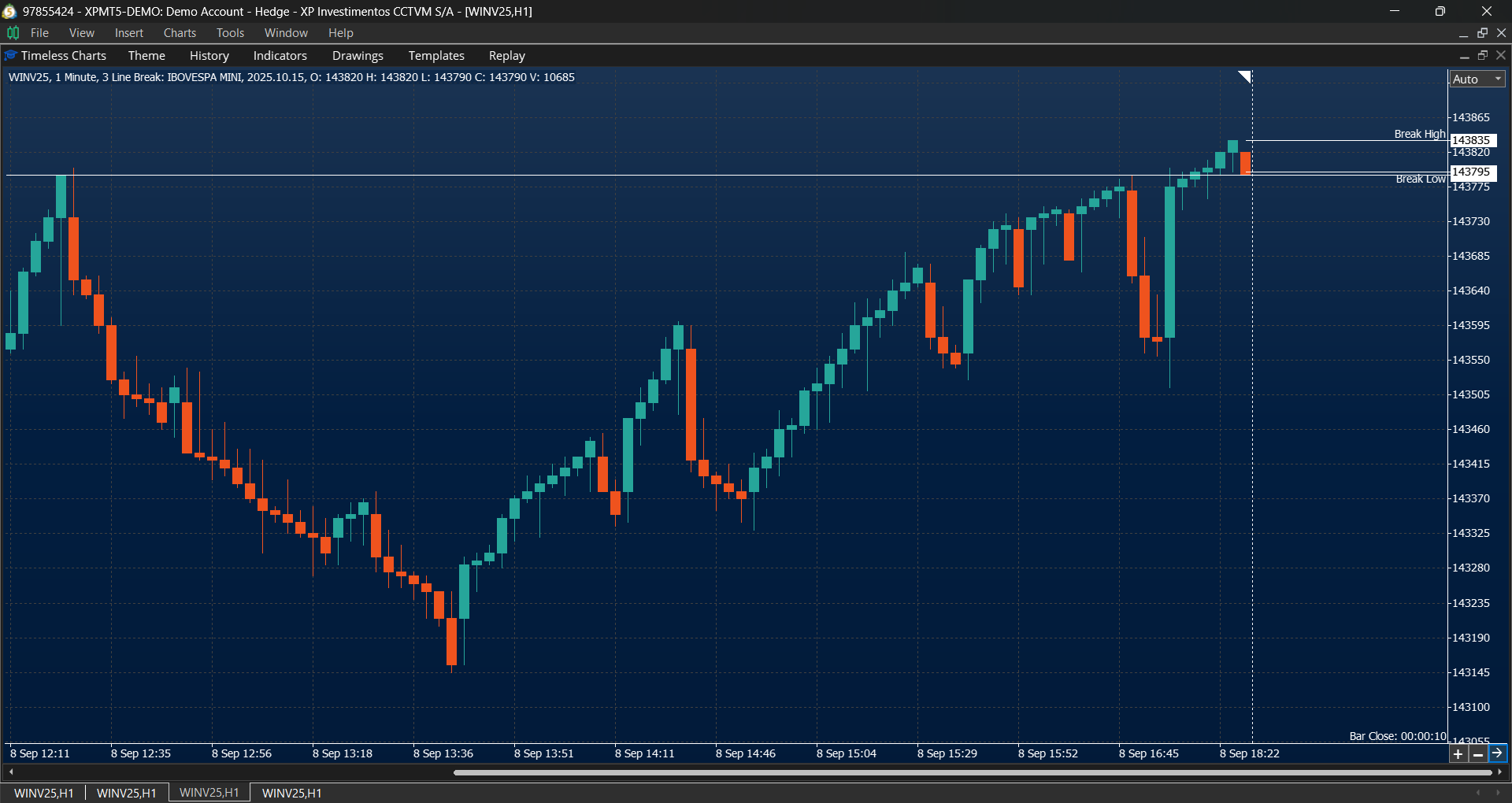
Line Break: filter minor retracements
Line Break charts add a new line only when price breaks the extreme of a configured number of preceding lines. Small retracements that fail to cross that boundary do not create a new line, keeping the chart focused on moves that change the recent price structure.
This rule can make swings and potential turning points easier to scan on noisy instruments. Adjusting the number of prior lines changes how selective the chart is: fewer lines respond more quickly, while a larger lookback filters more of the smaller reversals.
- Build
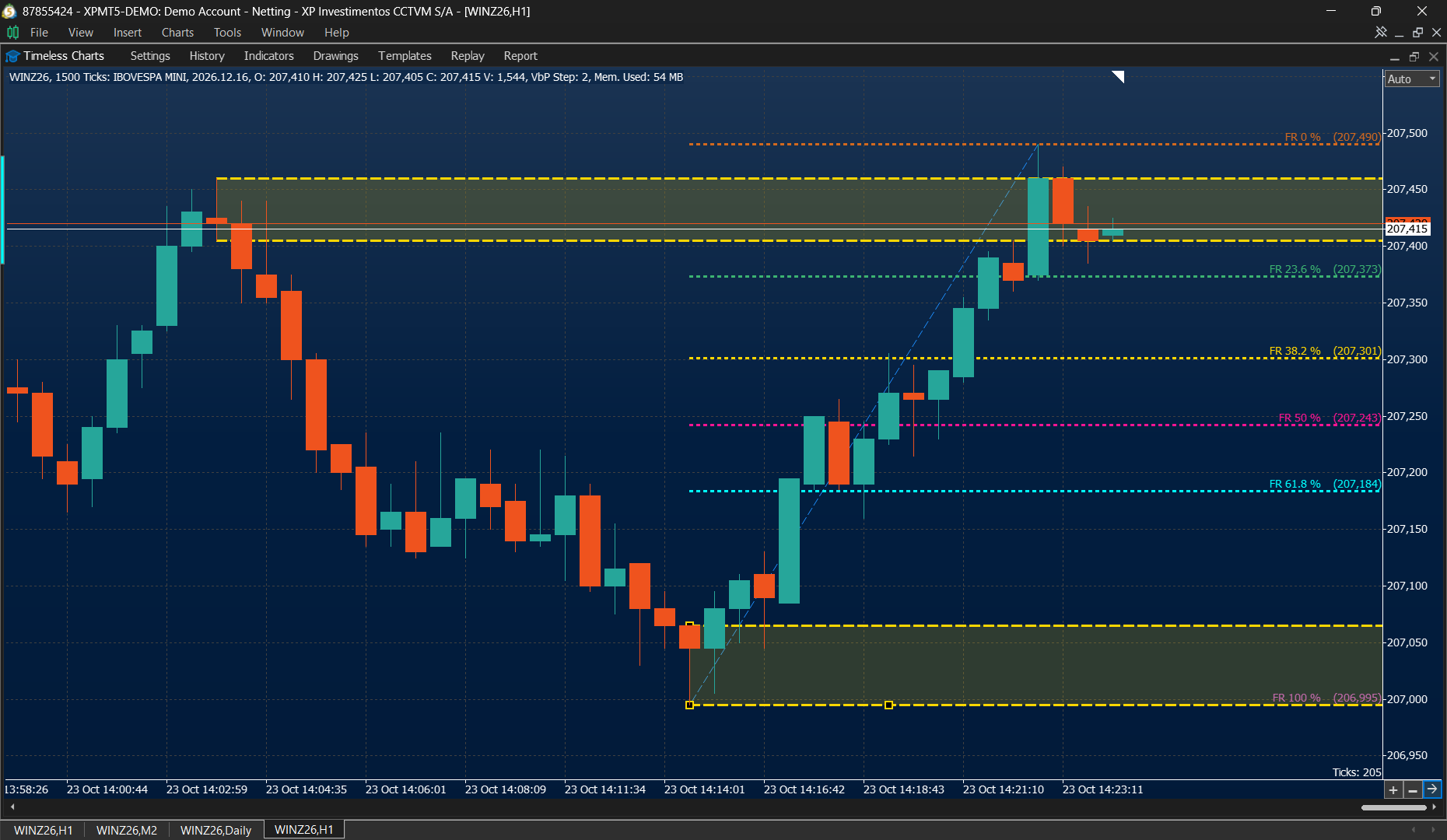
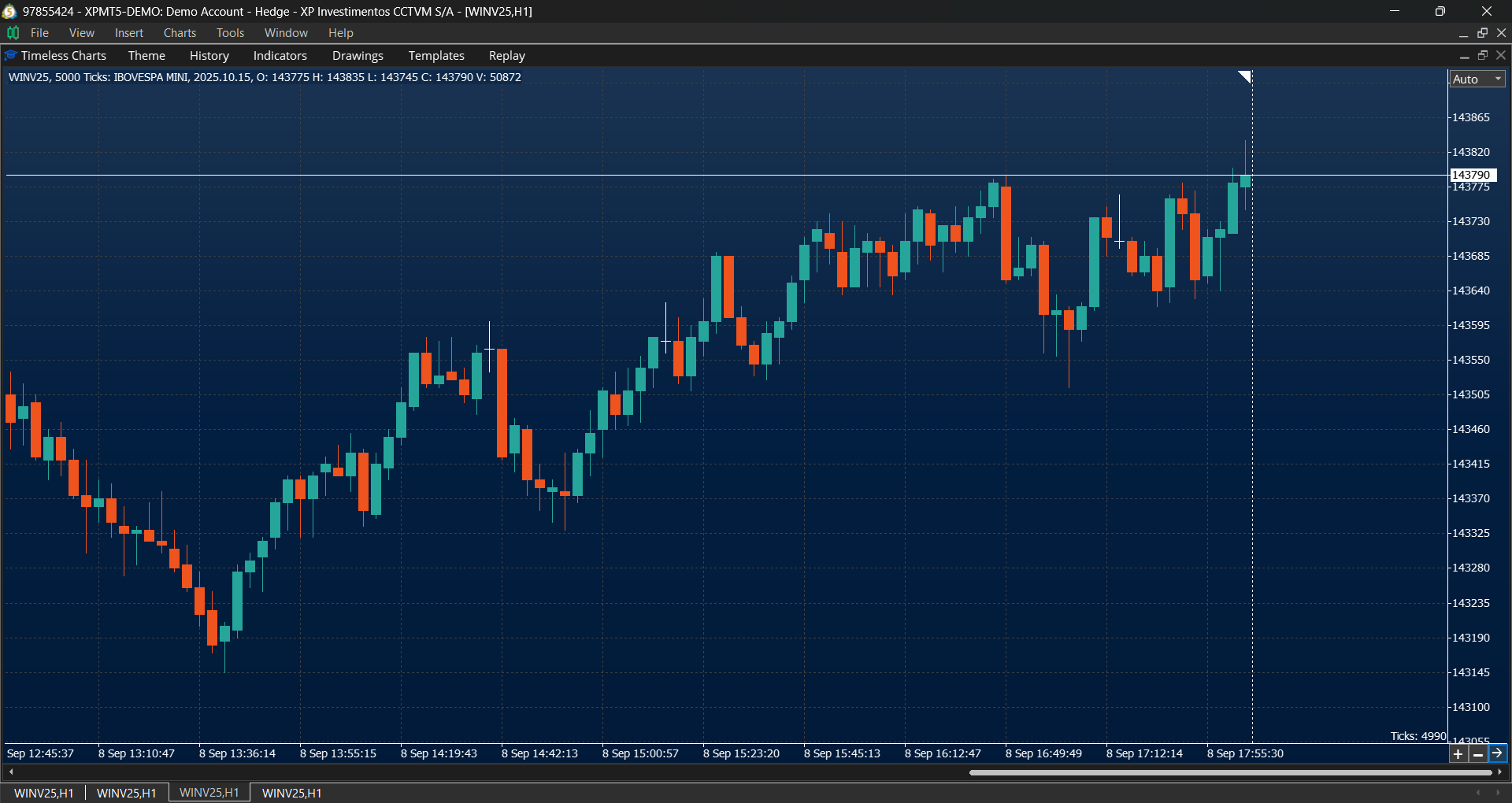
Tick charts: let trade activity set the pace
Tick charts form a new bar after a configured number of trades or price updates, rather than after a fixed time interval. Busy periods therefore produce bars quickly, while quieter periods take longer to form the next bar.
This makes changes in market activity visible in the chart's horizontal rhythm. Instead of giving every minute the same width, tick charts devote more bars to periods with more trading activity and fewer bars to periods with less activity.
- Build
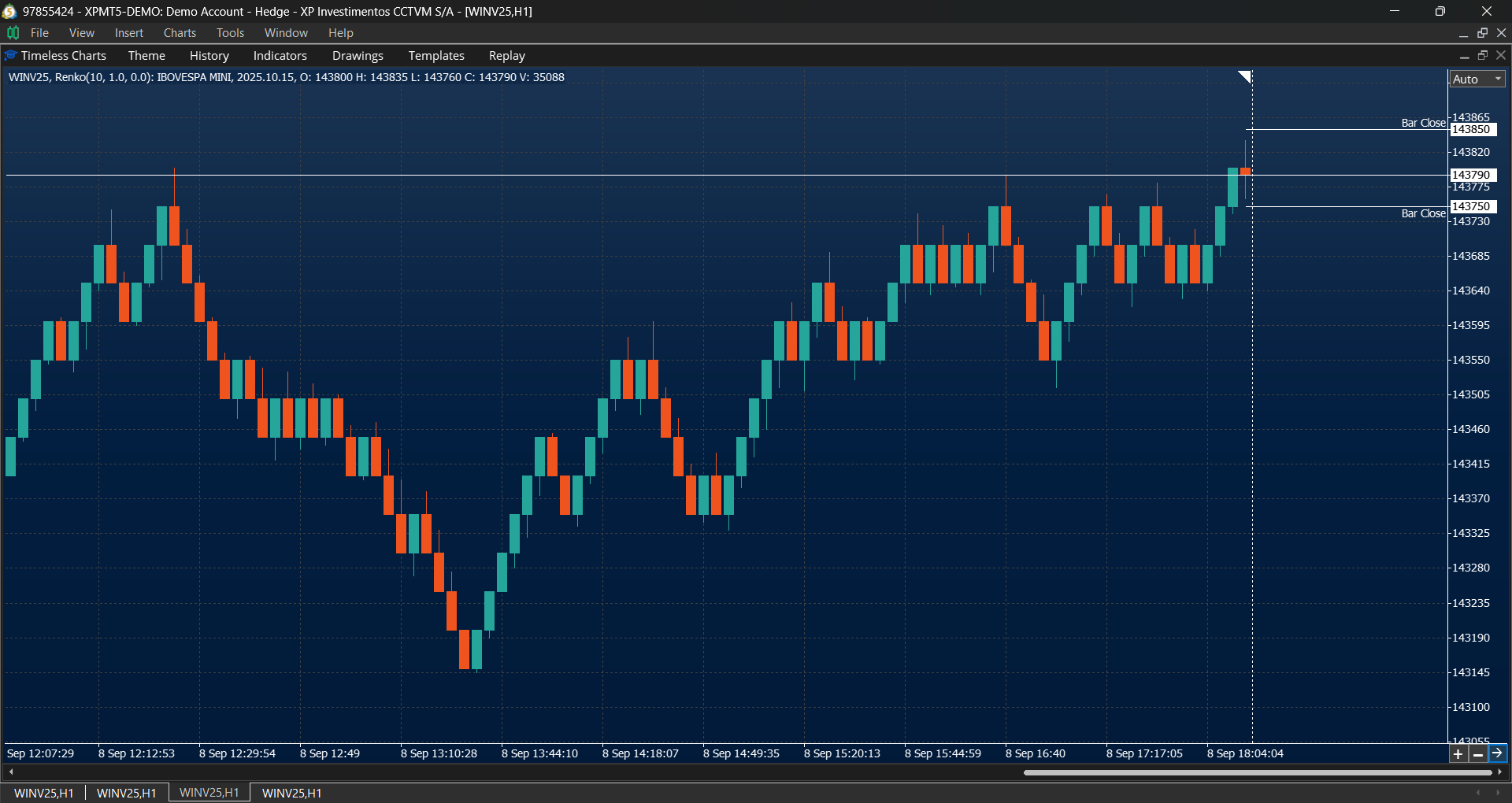
Points charts: a Renko variation with 0% reversal
This Renko variation uses a 0% reversal parameter. After a bar forms, price needs to move one brick size in the opposite direction from the previous bar's open to close a reversal bar, rather than the two-brick move required by classical Renko.
The reduced reversal distance makes direction changes appear sooner than in classical Renko. It keeps the brick-based structure while changing the amount of counter-movement required to confirm a reversal.
Ready to build your own chart workspace?
Try custom chart types and timeframes in Timeless Charts for MetaTrader 5.
- Analyze
Indicators and market studies
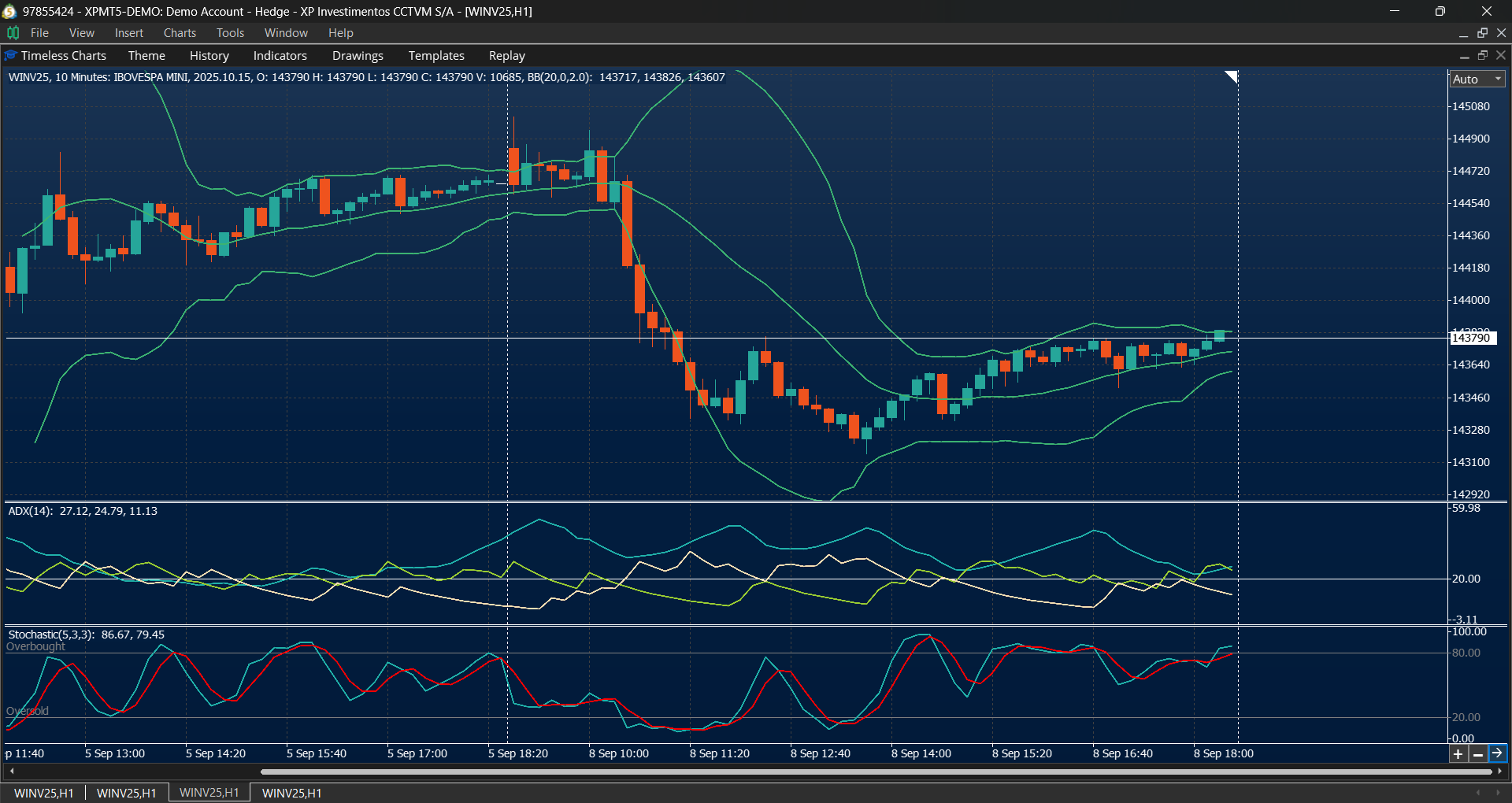
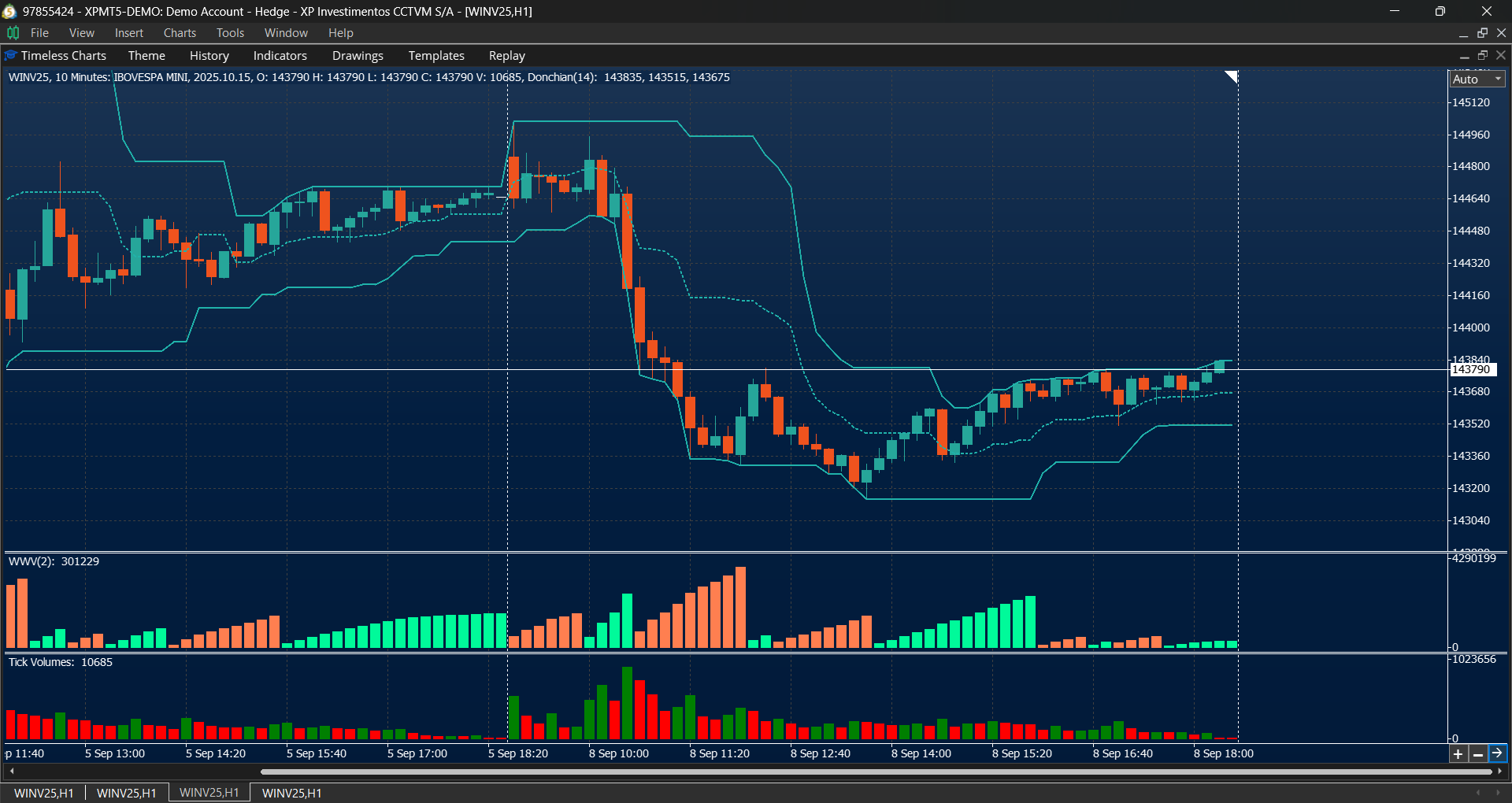
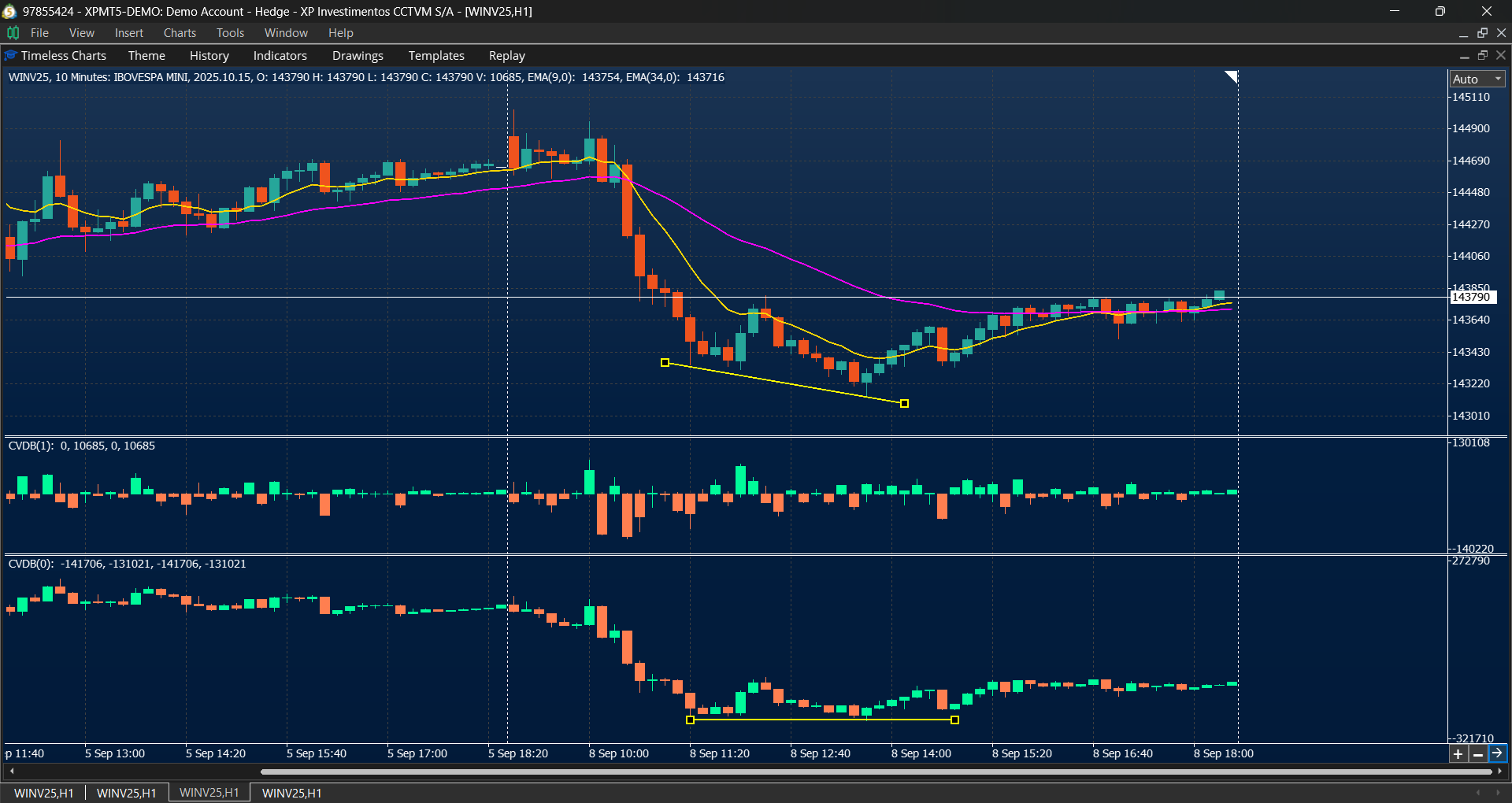
Eighteen indicators cover trend, momentum and volatility — RSI, Stochastic, Moving Averages, Bollinger Bands, MACD and others — and they compute on custom bars rather than only on standard candles. That is the usual failure point when the same capability is assembled from separate MT5 products: an indicator built against time periods stops meaning anything on a Renko brick.
Alongside them sit volume and aggression studies: Weis Wave, which aggregates volume into waves rather than bars, and Cumulative Delta, which tracks net aggression across the session. Both can be read against a footprint on the same chart.
- Analyze
Fifteen drawing tools, shared across your charts
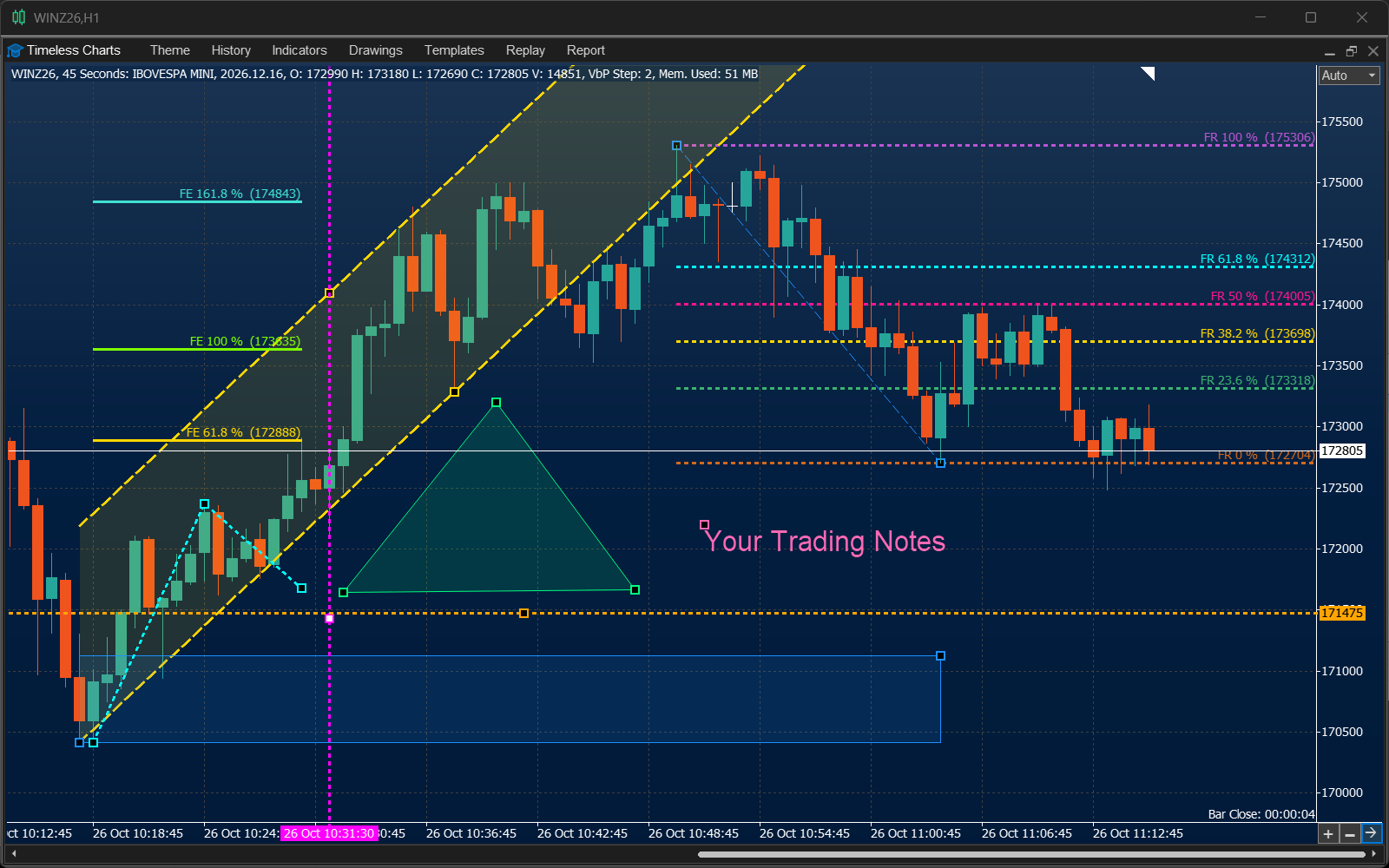
Text and labels, horizontal and vertical lines, trend lines, triangles and rectangles, Fibonacci retracement and expansion, Fibonacci and equidistant channels, linear regression and standard deviation channels — plus anchored VWAP, Volume Profile and TPO Market Profile, which are drawn from the same toolbar because that is how you place them.
Drawings are global: annotate once and the same levels appear on every chart and timeframe of that instrument. A plan marked on the 5-minute is present on the Renko, on the footprint and on the replay session, which is what makes a written level usable rather than decorative.
- Analyze
Chart options: the details that decide daily use
Whether an advanced chart is usable for eight hours or merely impressive in a screenshot comes down to a handful of options.
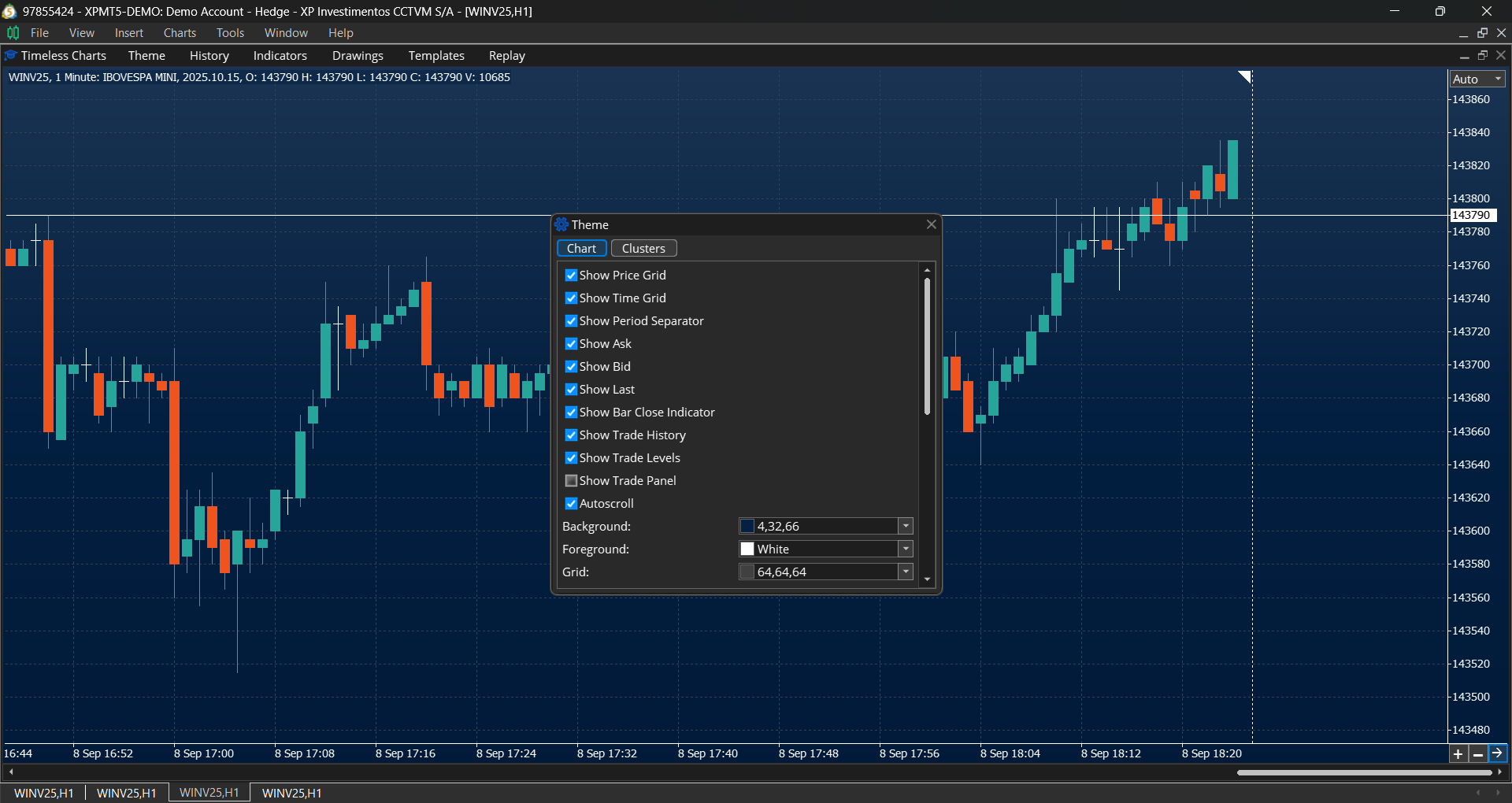
- Global crosshair — one pointer, synchronized across charts and timeframes of the same instrument
- Price-centered scale — keeps the current price near the middle of the chart while it moves within margins you set
- Candle clock — a countdown to the close of the current bar
- Independent price and time grids, and automatic or manual scaling
The price-centered scale exists for a specific reason. In footprint and order-flow work you are reading numbers at fixed prices, and a scale that slides with every tick makes that impossible. It is an option, not a default, because on a plain time chart a fixed scale is usually what you want.
Build the chart you actually want to trade
Explore the charting tools in the free demo, which runs directly inside MetaTrader 5.
These bars are what the order flow tools are built on
Footprints, profiles, delta and VWAP all render on the chart types above — which is the difference between a custom bar chart and a custom bar workspace.
To go deeper on how each bar type forms and when to use which, see Price Chart Types — Formation Rules and Price Charts Evolution.
Explore Market Analysis
Explore practical guides to chart types, order flow and market structure in our educational article library. Start with the Price Chart Types guide to understand how these bars form.